Utilities & Tools (10000 programs)
Pros: A lightweight and streamlined platform.. Supported by the majority of operating systems..
Cons: This plug-in decryption package is not able to convert DVDs with bad sectors.. Your DVD copy software may not recognise DVD43 as a valid program and therefore it will not be permitted to function..
Pros: Safe. Easy to use. Lightweight. Trusted developer.
Cons: Not a cross-platform program. Needs to be run as an administrator.
Pros: The preview function on the bottom left is far bigger than standard Windows preview. It is tiny change but it may allow you to streamline your sorting and filing process. The search function may be improved (which is amazing for Windows 10).
Cons: Getting it to work on some Windows 10 devices is tricky. Some of the functions are not part of Windows 7 and Windows 10. Such a minor change may be unimportant to some people.
Pros: Suitable for beginners and advanced users. Displays results in three formats. Option to customize generated reports.
Cons: Doesn’t stop users from deleting system files.
Pros: Fixes bugs flawlessly. Improves Bluetooth connectivity.
Cons: The previous release candidate has to be uninstalled. Rather basic interface.
Pros: Ability to choose your level of protection. Easy to use interface.
Cons: Does not block everything effectively. Can block the wrong things.
Pros: There are few tools that allow you to convert .OST files. Its design is similar to early Outlook programs so Microsoft users will feel at home. You may see your emails and navigate through your Microsoft files with ease.
Cons: As technology moves forward there will be less demand for this program. You cannot batch-convert without buying the product.
Pros: Intuitive treemap visualization of disk space usage. Real-time updates on file and folder changes. Efficient navigation and file management options.
Cons: May lack advanced functionalities available in alternative tools.
Pros: You may upgrade and update it to the most recent version. Does exactly what the most recent version does. Malware free and doesn't require any special unpacking.
Cons: You should only install if your current version is absent deleted or damaged. It takes a very long time to update the software once it is installed. Re-Adding this software requires technical skill.
Pros: Simple and clear interface for quick extraction. Reliable read-only access to DMG archives. Handles large (4 GB+) files efficiently. Lightweight and easy to install.
Cons: Free version capped at five files or 4 GB. No editing, creation, or mounting features. Dated interface design. Encrypted DMGs require paid version.
Pros: Loads of customization options. Helps save time and effort. Easy to add new phrases. Simple interface.
Cons: Some duplicate hotkeys. Hotkey sequences need to be memorized.
Pros: The paid version has a range of utilities tools. Tune your computer to run faster. Removes a wide range of possible error-causing problems.
Cons: Much too expensive for many people. Ineffective on some computers. Vulnerable to hackers.
Pros: Free and safe to use. Cross-platform compatibility. Reads various file systems and disk images. Autodetect feature is a great convenience.
Cons: Outdated user interface. Requires a separate Java installation. Can fail to detect devices automatically. Not actively maintained.
Pros: Handy for people that do not have an installation wizard. Allows you to install things on corrupted computers. The interface is the same as the Microsoft installer.
Cons: Is redundant on most computers because it is simply not needed. Allows users to force their computer to accept unacceptable software. It could use a better technical manual to explain how it works.
Pros: Handy for people that do not have an installation wizard. Allows you to install things on corrupted computers. The interface is the same as the Microsoft installer.
Cons: Is redundant on most computers because it is simply not needed. Allows users to force their computer to accept unacceptable software. It could use a better technical manual to explain how it works.
Pros: Rapid formatting. Supports large drives. Is ran instead of installed. Contact with admin is possible. Compatible with a multitude of operating systems.
Cons: ‘Quick Format’ can cause corruption.
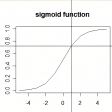
Pros: It is far quicker than using Paint or a graphic design program. You may process your data into visualizations. It is a small but effective program for math and science students.
Cons: There are only a limited number of chart choices. You will have to learn how to use it before being able to create equations quickly. It is in need of an aesthetics update.
Pros: Tweak appearance and detail levels.. Set alarms and locales.. Plenty of features to make it more convenient..
Cons: Pretty limited software but great at what it does..
Pros: You do not have to take your phone to a shop to unlock it. The software is free to download and install. Using the software is very easy and not very technical.
Cons: There is still a fee to be paid. It doesn't work every time. The software doesn't seem to work for newer phones.
Pros: Does its job as expected. No corruption or errors. A standard replacement file if needed.
Cons: Most people will never need this file. There are no perks to downloading this version over another version. Non-programmers will not understand what this file is for.