Utilities & Tools (10000 programs)
Pros: Handles a number of disk image types like NRG IMG and CIF.. Mount digital media on your computer without having to burn digital disk images to physical media.
Cons: Freeware means some advertisements will be presented on the program.
Pros: See updates as an update list and choose the ones you want. It doesn't force you to use it exclusively for your Windows update downloads.
Cons: Support for the program seems to have died off after Windows 7. Not recommended for people who do not fully understand Windows updates. You have to use other tools to install the updates you downloaded.
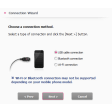
Pros: Fixes bugs flawlessly. Improves Bluetooth connectivity.
Cons: The previous release candidate has to be uninstalled. Rather basic interface.
Pros: Totally wipe and reset drives.. Works with most interfaces.. Can format flash drives..
Cons: Speed limited in the free trial..
Pros: You have access to many of the very same functions as you would when manually operating your phone. An excellent choice if your smartphone has poor reception.
Cons: This software is only applicable for LG phones. Not all phone settings and features can be used.
Pros: A lightweight and streamlined platform.. Supported by the majority of operating systems..
Cons: This plug-in decryption package is not able to convert DVDs with bad sectors.. Your DVD copy software may not recognise DVD43 as a valid program and therefore it will not be permitted to function..
Pros: Safe. Easy to use. Lightweight. Trusted developer.
Cons: Not a cross-platform program. Needs to be run as an administrator.
Pros: It is able to work with most traditional text editors and software packages.. The ability to choose specific keyboard shortcuts based off of user preferences:.
Cons: The platform was last updated in 2009. This could present some issues with modern systems.. There are potential compatibility issues with third-party software..
Pros: VisiPics is absolutely free to use and only requires a one-time download.. It supports all of the most common image formats..
Cons: Lesser-known or corrupted files will not be detected.. Five comparison filters may not be sufficient to identify extremely subtle changes within an image file..
Pros: Free to download and use. Captures mouse motion. Compresses coinciding frames. Provides GIF editing capabilities.
Cons: Only available for Windows.
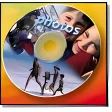
Pros: Templates for various media sizes.. Use their art or import your own.. Add text and more to your disc covers..
Cons: A little slow and clunky..
Pros: Suitable for beginners and advanced users. Displays results in three formats. Option to customize generated reports.
Cons: Doesn’t stop users from deleting system files.
Pros: The preview function on the bottom left is far bigger than standard Windows preview. It is tiny change but it may allow you to streamline your sorting and filing process. The search function may be improved (which is amazing for Windows 10).
Cons: Getting it to work on some Windows 10 devices is tricky. Some of the functions are not part of Windows 7 and Windows 10. Such a minor change may be unimportant to some people.
Pros: Free to download and use. Very easy to use. Does not take up a lot of space.
Cons: Rather limited in its scope. Easy to accidentally close the wrong window.
Pros: Capture the contents of your screen whatever applciation you're using. Edit the resulting screen capture for things like brightness and contrast quickly and effectively.
Cons: This is not free software it requires a paid license to use.
Pros: It's easy to install and the process can be completed in minutes.. Essential security updates have been included within this version..
Cons: The operating system itself is slightly out of date.. This service pack is not likely to protect against more recent and advanced threats from the Internet..
Pros: Great free backup software from an industry leader in backup technology. Recover either whole VM's or dig deeper into the virtual machine to recover specific files. Myriad of options for retention and backup scheduling.
Cons: Only backs up Virtual Machines running on ESXi or Hypervisor does not backup physical machines. Free version is lacking some Enterprise level features like offsite replication.
Pros: These drivers are essential for using your HP Deskjet 2540. They are completely free.
Cons: If you don't download the correct drivers you will never get the proper use out of your HP Deskjet 2540.
Pros: Great if you lost the original installation files. Easy setup wizard.
Cons: Requires backward compatibility. Installation issues.
Pros: Flash your Xperia device with official software. Erase content or unlock new Xperia software.
Cons: Not all models supported.