Personalization (10000 programs)
Pros: Tons of options to choose from.
Cons: Only for OPPO devices.
Pros: Can use your biometrics to ask for access. Can customize the app menu.
Cons: Requires devices with a fingerprint scanner. Most fingerprint-enabled devices already have this feature by default. Themes are only for the app menu. Doesn’t actually override your default lock screen settings.
Pros: Simple and easy to use. Custom widget and wallpaper designs. Max Icons and Folders feature.
Cons: Supports only a handful of devices. Beta version.
Pros: Stylish modern icon design. Huge icon collection. Plenty of matching wallpapers. Looks great with dark mode.
Cons: Requires third-party launcher. Setup might confuse beginners.
Pros: Over 8,000 consistently styled white icons. Covers more than 35,000 apps. Dynamic calendar support. Built-in icon request feature.
Cons: Requires third-party launcher.
Pros: Automatic sorting of apps. Powerful search engine. Highly-customizable. Gestures and hotkeys are supported.
Cons: Requires the app to update but unsuccesfully.
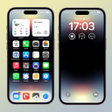
Pros: Aesthetic transformation. Customization options. Control Center convenience. Lock screen personalization.
Cons: Performance impact.
Pros: High-quality wallpapers. Direct download links for compatible launchers. Convenient preview function.
Cons: No iPhone widgets included.
Pros: Wide range of stickers. Vibrant and playful designs. Includes emoticons and GIFs.
Cons: Limited to WhatsApp.
Pros: High-quality, real-life images. Comes in an organized list of themes. Accessible functionalities at the lock screen interface.
Cons: Exclusively available for Xiaomi users. Doesn’t have as many selections as its rivals.
Pros: Has animated wallpapers. Customizable lock screens. Supports pins, passwords, and patterns as. Allows screen preview before applying changes.
Cons: Consumes battery fast. Cannot use personal photos as background. Fingerprint scan does not ensure security.
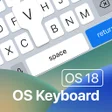
Pros: Extensive customization options. Numerous themes and backgrounds. Includes typing sounds and emojis.
Cons: Tedious installation process.
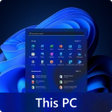
Pros: Windows 11-inspired interface. Intuitive app organization. Personalization options. Multi-window support.
Cons: May lack deep customization.
Pros: Universal compatibility across multiple operating systems. Powerful command-line tools for in-depth Wi-Fi security auditing. Enables advanced scripting and automation. Supports various WiFi encryption protocols for testing.
Cons: Primarily command-line based, steep learning curve for beginners. Not a consumer-friendly "security app" for passive protection. Requires technical knowledge to utilize effectively. Can be misused for malicious activities if in the wrong hands.