Personalization (10000 programs)
Pros: Provides easy access to all apps. Hassle-free customization. Plethora of basic and advanced settings.
Cons: Could interfere with other apps. A pro version is needed for other customization options.
Pros: Authentic Nokia 1280-style interface. Lightweight and easy to use. Works smoothly on most Android devices. Brings nostalgic value to modern phones.
Cons: Basic design may not appeal to all users. Minimal performance features. Limited customization options. No support for advanced widgets.
Pros: Easy to install. Good for people with sensitive eyes. Not intrusive. Light file.
Cons: Cannot switch back easily to original theme. Needs to reinstall original Facebook and Messenger app.
Pros: High-quality images. Comes in an organized list of themes.
Cons: Exclusively available for Vivo users. Doesn’t have as many selections as its rivals.
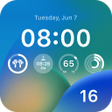
Pros: Clean iOS-inspired look. Sharp icons and HD wallpapers. Works with over 30 launchers.
Cons: Setup can confuse beginners. Higher battery use.
Pros: Easy to use. Wide app and game support. Optional plugins. Password-protected private space.
Cons: Prone to crashing. No updates in some time.
Pros: Visually captivating wallpapers. User-friendly interface. Real-time dynamic content updates. Easy customization.
Cons: Impact on your device's battery life.
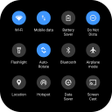
Pros: Complies with Google's UI design standards. Full theming support. Highly customizable quick settings tab.
Cons: Occasional crashes. Still based on Android 11 design.