
Article
Gmail mobile apps updated, lets you use Drive to manage files

- July 24, 2014
- Updated: July 2, 2025 at 7:34 AM
Managing files inside Gmail just got easier. Android and iOS users can now save attachments directly to their Drive account. You’ll also be able to attach files directly from Drive without leaving the Gmail app.
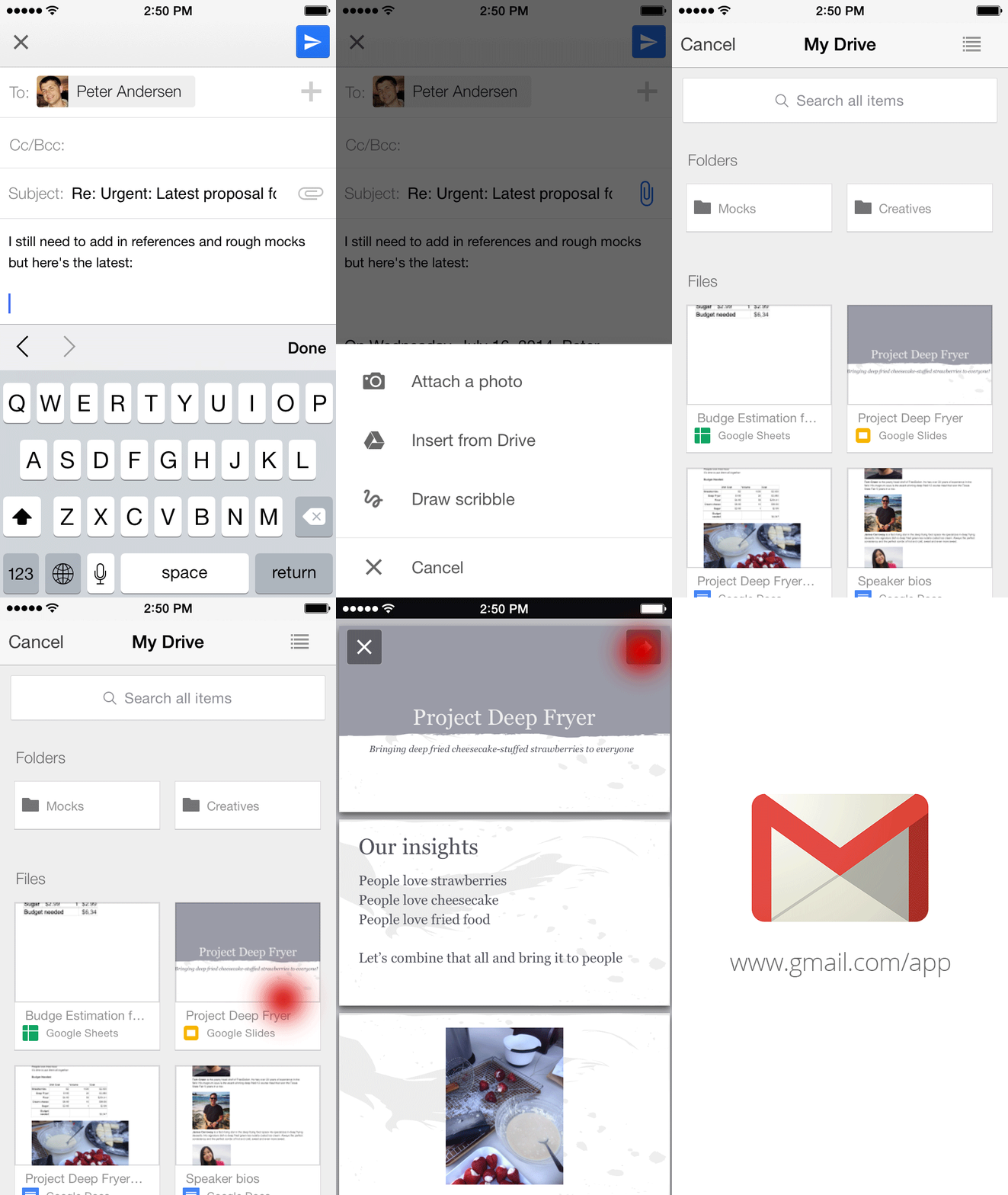
If you’re sharing a file with limited access, Gmail will prompt you to change the share settings of that file before sending it. This makes sure you don’t share a file with someone who can’t access it.
In the iOS version, you can now upload a new profile picture directly from the app. You can now also change the visibility of multiple Gmail accounts in the app.
DOWNLOADS
Source: Official Gmail Blog
RELATED LINKS
Modern Combat 5: Blackout available on multiple platforms
Which password manager should you use – 1Password, Dashlane, or LastPass?
Smart Selfie takes high-res selfies using your rear camera
Firefox 31 brings new tab search bar, increased download security
Follow Lewis on Twitter: @lewisleong
You may also like
 News
NewsThe series with the most stars from Apple continues to add incredible names
Read more
 News
NewsNorth Korea is already using Gemini to hack computers around the world
Read more
 News
News25 years later, this iconic RPG returns with a remake that we will be able to enjoy very soon
Read more
 News
NewsEvery year we spend more on Valentine's Day, even though we celebrate it less. How is that possible?
Read more
 News
NewsThis streaming service doesn't just want to be number 1: it also wants to beat Crunchyroll at its strong point
Read more
 News
NewsWe already know who will act alongside Sydney Sweeney in the most anticipated anime adaptation
Read more