Editor's choice

3.2
13 reviews
Cok Auto Recorder is a lightweight audio recording tool for Windows, designed to automatically capture both sides of a conversation. It works with popular…
Update: Sep 7, 2026 · 19 apps reviewed
Call recording software for Windows helps you capture voice calls, VoIP conversations and online meetings for reference, training or compliance. The strongest tools balance clear audio quality with simple controls, reliable file management and support for the calling apps you already use. Some focus on automatic recording and searchable archives, while others give you manual control, editing options and privacy safeguards. The right choice depends on whether you need occasional note-taking, team oversight or a dependable archive of important conversations. Explore top picks for Windows.
13 reviews
Cok Auto Recorder is a lightweight audio recording tool for Windows, designed to automatically capture both sides of a conversation. It works with popular…
Choose Softonic on Google and you'll see more of our articles in Top Stories, AI Overviews and AI Mode.
Feature Richness
Communication Quality
Privacy & Security
Jotted stands out by capturing the meeting from your desktop, keeping the original video, and generating transcripts locally without sending the audio elsewhere on the free plan. The trade-off is that PDF note export and combining recordings into one video file are locked behind premium.
29 reviews
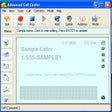
Advanced Call Center is a good, trial version Windows program, belonging to the category Software utilities with subcategory Communication.