File Manager Tools for Faster Windows Organization | 5
Update: Sep 7, 2026 · 519 apps reviewed
Windows file managers help you move, sort, search and clean up files with far more control than the default Explorer view. The strongest options make repetitive work faster, whether that means batch renaming folders, comparing directories, handling duplicate files or navigating deep storage trees with fewer clicks. Good tools balance speed, keyboard shortcuts and clear file previews with features that fit your workflow, from casual home use to heavy-duty admin tasks. The best choice depends on how much you manage at once, how much customization you want, and whether you need built-in search, sync or archive handling. Explore top picks for Windows.
Top programs about File Manager For Windows
- 4
24 reviews
Tabbed file handling with folder-size visibility
- Tabs for keeping multiple folders open at once
- Shows total folder size for quicker sorting
- Copy and paste files and folders in bulk
- Resizes columns with settings tweaks
Ideal for
- Large directory cleanup
- Heavy copy-paste workflows
- Windows Explorer replacement
Navigation & Organization
7 / 10Dual-pane, tabs, bookmarks, tags, and handling of large directories.File Operations
6 / 10Batch rename, duplicate detection, content search, and bulk operation speed.Format & System Support
5 / 10File systems supported, cloud integration, archive browsing, and FTP/SFTP.
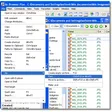
ExplorerXP stands out with tabs and folder-size visibility, which make everyday file sorting and moving more informative than Windows Explorer. I’d use it when you care more about practical file handling than polish, since loading is a bit slow, previews are weak, and some third-party hooks don’t play nicely.
Julianne Omamos - 2
1 reviews
FileOptimizer is a free and open-source desktop utility that gives the capability to recompress and optimize various files for much seamless attaching and sending…
- 4.8
LAN Drive is a full version app for Windows, belonging to the category 'File managers'.
- 1
1 reviews
Billfish is an open-source resource management utility designed for Windows, offering seamless synchronization with the File Explorer's folder structure. This tool is built using…
- 3
252 reviews
Direct iPhone file transfers without iTunes overhead
- Browse iPhone and iPad files from Windows
- Drag and drop uploads or downloads quickly
- Manage media, documents, and app data
- View and organize connected-device folders
Ideal for
- Windows desktop transfer workflow
- Media and document handoff
- No iTunes required
Navigation & Organization
6 / 10Dual-pane, tabs, bookmarks, tags, and handling of large directories.Format & System Support
6 / 10File systems supported, cloud integration, archive browsing, and FTP/SFTP.File Operations
4 / 10Batch rename, duplicate detection, content search, and bulk operation speed.
The standout here is direct Windows access to iPhone and iPad files, with drag-and-drop transfers that cut out iTunes entirely. I’d recommend it for anyone who mainly needs straightforward device file handling for media, documents, or app data, not advanced file-system tools like batch renaming or archive browsing.
Julianne Omamos - 5
2 reviews
Seagate SeaTools is a free utility designed specifically for Windows users to diagnose and manage hard drives, particularly those made by Seagate. This tool…
- 3
3 reviews
Bring back the classic File Explorer look in Windows
- Restores the Windows 7-style look and feel in File Explorer
- Replaces the Ribbon with a classic command bar
- Brings back old drive grouping and Libraries behavior
- Enables the details pane and status bar in Explorer
Ideal for
- Windows 8.1 desktop traditionalists
- Classic Explorer layout fans
- Ribbon-free file navigation
Format & System Support
5 / 10File systems supported, cloud integration, archive browsing, and FTP/SFTP.Navigation & Organization
5 / 10Dual-pane, tabs, bookmarks, tags, and handling of large directories.File Operations
4 / 10Batch rename, duplicate detection, content search, and bulk operation speed.
The tool targets one clear need: making File Explorer in Windows 8 and 8.1 feel like the older Windows 7 version. It’s lightweight, straightforward, and easy to undo if you decide the classic layout isn’t for you.
Julianne Omamos - 3.3
35 reviews
GridMove is a free utility for Windows designed to enhance window management. This application allows users to easily arrange and organize their open windows…