Editor's choice

4.2
119 reviews
Activity Launcher is a free, open-source Android utility by Adam Szalkowski that helps users launch hidden activities and create home screen shortcuts for installed…
Update: Sep 7, 2026 · 1480 apps reviewed
Home launchers for Android replace your default home screen with a layout that better matches how you use your phone. The strongest options balance speed, customization and clarity, letting you change app grids, gestures, icon packs, widgets and search behavior without slowing the device down. Some launchers focus on minimalism and one-handed use, while others offer deep theming, hidden app drawers or productivity shortcuts. The best choice depends on whether you want a cleaner interface, more control over organization, or a complete visual redesign that still feels smooth in daily use. Explore top picks for Android.
119 reviews
Activity Launcher is a free, open-source Android utility by Adam Szalkowski that helps users launch hidden activities and create home screen shortcuts for installed…
Choose Softonic on Google and you'll see more of our articles in Top Stories, AI Overviews and AI Mode.
2 reviews
NewThing Widgets Pro is an Android personalization app designed to elevate your home screen with a diverse selection of over 130 stunning widgets. Users…
10 reviews
Hole House collects high-definition artwork and game imagery into a single mobile gallery, letting users apply themed wallpapers and lock screens with one tap.…
43 reviews
XOS Launcher is a free personalization application from developer Transsion Holdings. It's a third-party app launcher and home screen replacement based on the custom…
38 reviews
Customization Depth
Performance & Stability
Theme Variety
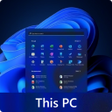
The desktop-inspired layout gives this launcher a lot of personality, and the file manager plus backup tools add real utility beyond themes alone. Its downside is the confusing, nonintuitive interface, so it suits tinkerers who want a full Windows-like makeover more than anyone chasing a clean setup.
13 reviews
Performance & Stability
Customization Depth
Theme Variety
HyperDroid – PC Launcher brings a clear Windows 11-inspired layout to Android, with enough personalization to rename apps and tweak icons. It works best if you want a desktop-like home screen and multi-window convenience, but it does not go far on deep launcher customization.
300 reviews
Next Launcher 3D Shell is a free utility tool developed by GOMO Limited for mobile devices. This personalization application is a home screen replacement…
1 reviews
Customization Depth
Performance & Stability
Theme Variety
Smart Launcher 6 stands out for its automatic app sorting, strong search, and deep home screen customization, especially if you want to move faster without manually arranging everything. The trade-off is a known update issue that can leave the app prompting for an update unsuccessfully.