Editor's choice

4.3
126 reviews
Update: Sep 7, 2026 · 53 apps reviewed
Invoice software helps freelancers, small businesses, and finance teams create professional bills, track payments, and reduce time spent on admin. The strongest tools go beyond simple templates by supporting tax calculations, recurring invoices, payment reminders, expense links, and multi-currency billing. Choosing well means balancing ease of use with the features you actually need, such as client management, branding, automation, and export options for accounting records. Good invoice tools make it easier to get paid on time while keeping your paperwork organised and audit-ready.
126 reviews
Get our latest tech news first, wherever you read.
Ali Invoice is a free Chrome add-on developed by Dropshipping Store that provides a simple solution for drop shippers who need invoices from AliExpress.…
Financial Tracking
Automation & Integration
Security & Compliance
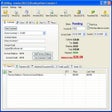
Brisk Invoicing focuses on the billing workflow that matters most: creating invoices, sending reminders, and checking status without extra admin. It suits teams that want cleaner cash flow management, but it stays centered on invoicing rather than broader accounting or expense tracking.
Financial Tracking
Automation & Integration
Security & Compliance
The editor focuses on fast billing, clear payment status tracking, and simple reporting, which makes it useful for small businesses that need invoices out quickly. Its Google Drive backup and app lock add practical protection, but this is still a lightweight invoicing tool rather than a full accounting suite.
Financial Tracking
Automation & Integration
Security & Compliance
The biggest draw here is official ETA access on mobile, with live status alerts, document rejection, and taxpayer switching built in. It is strongest for Egyptian accountants and businesses that need to monitor compliance on the move, but its scope stays tightly focused on invoicing rather than broader bookkeeping.
What is AliInvoice™️?You can generate and send invoices for AliExpress orders in the easiest way with this online tool. It allows you to get…
Invo: Invoice & Quote Maker is a robust application designed for individual entrepreneurs and small businesses, facilitating the creation, editing, and sending of PDF…