Editor's choice

3.4
1394 reviews
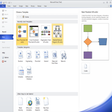
Microsoft Visio is a diagramming app for turning processes, systems, and org structures into reusable visuals. With Shape libraries and Dynamic connectors, it keeps…
Update: Sep 7, 2026 · 8 apps reviewed
Microsoft Visio is the go-to name for diagramming when you need clean flowcharts, network maps, org charts, floor plans or process visuals that are easy to edit and share. The strongest tools in this space balance precise shape libraries, smart connectors, export options and collaboration features without making layout work feel clumsy. Some are built for technical teams and enterprise documentation, while others focus on quick business diagrams or lightweight visual planning. The best choice depends on whether you need advanced templates, cloud collaboration, compatibility with Office files, or a simpler way to turn ideas into polished diagrams.
1394 reviews
Microsoft Visio is a diagramming app for turning processes, systems, and org structures into reusable visuals. With Shape libraries and Dynamic connectors, it keeps…
Get our latest tech news first, wherever you read.
671 reviews
Microsoft Visio is meant for designing and sharing diagrams like flowcharts, mind maps, organization charts, network diagrams, UML diagrams, floor plans, and other charts.…
1772 reviews
Microsoft Visio is a professional diagramming tool designed to help users create flowcharts, network diagrams, organizational charts, floor plans, and other visual data representations.…
6 reviews
VSD Viewer by Nektony helps Mac users open and inspect Microsoft Visio drawings without Visio, aimed at professionals who need accurate diagram access. The…
3 reviews
Download VSD Viewer - a professional Visio Drawings viewer for macOS. It is a professional tool to view, manage and navigate Visio files on…
SharePoint ERD Generator is a powerful Chrome extension designed to streamline the creation of Entity Relationship Diagrams (ERD) from SharePoint site lists. This tool…
Nektony VSDX Annotator is a versatile utility designed for Mac users to efficiently preview, edit, and convert Visio drawings. This free application offers a…