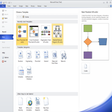
Visio for Windows 7: Diagrams, Flowcharts and More

Update: Sep 7, 2026 · 10 apps reviewed

Visio for Windows 7 is about making technical diagrams, flowcharts, org charts and network maps on a system that still needs to run older office software smoothly. The best options balance template quality, shape libraries, export formats and compatibility with legacy files, because older Windows environments often depend on specific document workflows. Users also need to consider performance on modest hardware, printer support and whether the tool can handle collaboration or just local editing. Strong choices make it easy to build precise visuals without turning simple layout work into a compatibility headache. Explore top picks for Windows.

Julianne Omamos

Julianne Omamos

Software Review Writer

Copywriter with an SEO background in e-commerce, now focused on software reviews across utility tools, multimedia apps, games, and productivity platforms. Julianne helps readers understand how software fits their everyday needs.

Top programs about Visio For Windows 7

Frequently asked questions (FAQs) about this topic

Can Visio run on Windows 7?

Some Visio versions were designed to work on Windows 7, but compatibility depends on the edition and service pack level. You should always check the specific system requirements before installing. Newer releases may no longer support Windows 7 at all.

What can I create with Visio on Windows 7?

Visio is commonly used for flowcharts, network diagrams, floor plans, process maps and organisational charts. It is especially useful when you need precise shapes, connectors and readable labels. That makes it a strong fit for business, IT and planning tasks.

Are Visio files compatible with other diagram tools?

Many diagram tools can open or export Visio formats, but support is often partial. Complex shapes, layers and formatting may not transfer perfectly. If compatibility matters, test the import and export workflow with a sample file first.

Is Visio heavy for older Windows 7 PCs?

It can be, especially on machines with limited RAM or older processors. Large diagrams, many connectors and high-resolution templates increase the load. For smoother use, look for lightweight builds and keep background apps to a minimum.
Signed in to Softonic as