4.8
56 reviews
Icons8 Lunacy allows PC users to read and view.sketch files on a PC that has Windows as its operating system. Instead of having to…
Update: Sep 7, 2026 · 96 apps reviewed
Windows 7 personalization tools help you reshape the desktop beyond the default wallpaper and color controls. The strongest options focus on themes, icon packs, taskbar tweaks, custom cursors, and visual effects that make an older system feel more personal without sacrificing usability. When choosing software, look for stability, low resource use, and compatibility with 32-bit or 64-bit installs, since some tools are built for deeper system changes than others. Good picks balance style with control, letting you refresh the interface while keeping performance and recovery options in mind. Explore top picks for Windows.
56 reviews
Icons8 Lunacy allows PC users to read and view.sketch files on a PC that has Windows as its operating system. Instead of having to…
Choose Softonic on Google and you'll see more of our articles in Top Stories, AI Overviews and AI Mode.
360 reviews
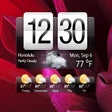
HTC Home for Windows is a free personalization application designed to enhance the desktop experience on Windows. It offers users a unique way to…
157 reviews
Picto Selector is a powerful, free Windows program, that belongs to the category Desktop customization software and has been created by Martijn van der…
10 reviews
SoundPackager is a Windows application designed for personalizing system sounds. This trial version allows users to easily change their default sound schemes with a…
67 reviews
Performance & Stability
Theme Variety
Customization Depth
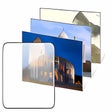
The tool focuses on one clear job: giving Windows desktops a polished theme built around the seven wonders of the world. It suits anyone who wants a fast visual refresh, though it does not suggest the deeper launcher controls or theme libraries that power users usually expect in this category.