Editor's choice

4.3
8136 reviews
Instagram is a free online photo editing and sharing app that combines a robust suite of editing tools with easy-to-use social media features. It…
Update: Sep 7, 2026 · 108 apps reviewed
Photo collage tools for Windows turn scattered images into polished layouts for social posts, family albums, posters and digital scrapbooks. The best options make arranging photos fast with drag-and-drop templates, flexible grids, text overlays and frame controls, while still leaving room for manual tweaks. Some are built for quick sharing, while others focus on print-ready exports, layered editing or extra effects like stickers and backgrounds. When choosing one, look at template variety, export quality, ease of use and whether the app gives you enough control to make each collage feel deliberate rather than crowded. Explore top picks for Windows.
8136 reviews
Instagram is a free online photo editing and sharing app that combines a robust suite of editing tools with easy-to-use social media features. It…
Choose Softonic on Google and you'll see more of our articles in Top Stories, AI Overviews and AI Mode.
5727 reviews
Picsart is a freemium photo editor and collage app that shares some features with a social network. When users create images they think are…
61 reviews
Output Quality
Customization Flexibility
Template & Asset Library
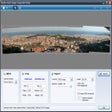
The tool’s biggest strength is its automatic stitching, which handles panorama alignment, blending, and projection choices with little manual cleanup. It also delivers serious output options for high-resolution work, but the discontinued status and older Windows support make it a legacy pick rather than a modern all-round editor.
89 reviews
Template & Asset Library
Customization Flexibility
Output Quality
Phototastic Collage leans on a large template library and simple drag-and-drop building, so you can assemble polished collages without wrestling with heavyweight design software. The trade-off is that many of the best extras sit behind a paid subscription and in-app purchases.
31 reviews
Customization Flexibility
Output Quality
Template & Asset Library
FotoSlate focuses on presentation rather than deep editing, with solid tools for arranging images into layouts, collages, and printable pages. I’d use it when the job is to package photos cleanly for personal albums or professional handouts, not when you need advanced retouching or a broad asset library.
180 reviews
Arcsoft Panorama Maker is a user-friendly trial version software designed for Windows that enables users to create breathtaking panoramic images effortlessly. This program falls…
742 reviews
FotoMix is a photo editor that allows you to add people from one picture onto another picture or background.