SharePoint Tools for Team Sites and Document Control | 4

Update: Sep 7, 2026 · 45 apps reviewed

SharePoint centers on document management, team collaboration and structured intranet workflows. The strongest options help teams store files in one place, control permissions, version documents safely and surface the right content through search and shared sites. Choosing well means balancing ease of use with governance: some tools are built for lightweight file sharing, while others support complex approvals, metadata and company-wide knowledge hubs. The best SharePoint-related software makes collaboration feel simple for users while giving administrators the control they need over security, compliance and content organization.

Julianne Omamos

Julianne Omamos

Software Review Writer

Copywriter with an SEO background in e-commerce, now focused on software reviews across utility tools, multimedia apps, games, and productivity platforms. Julianne helps readers understand how software fits their everyday needs.

Top programs about Sharepoint

  • 4.1

    Mount OneDrive and SharePoint as local drive letters

    • Maps OneDrive and SharePoint libraries as drive letters
    • Uses WebDAV and Microsoft Graph for cloud access
    • Fits Windows file management inside File Explorer
    • Supports GPO and Microsoft Intune deployment

    Ideal for

    • Windows admins managing Microsoft 365 storage
    • SharePoint document library workflows
    • Enterprise drive-mapping deployments
    • Cross-Platform Compatibility

      4 / 10
    • Collaboration & Cloud

      3 / 10
    • Feature Completeness

      3 / 10
    The tool stands out by turning OneDrive and SharePoint libraries into familiar Windows drive letters, which makes everyday file handling feel much closer to local storage. It will matter most to Microsoft 365 admins and enterprise teams that want centralized deployment through GPO or Intune, not a full office suite.
    Julianne Omamos
  • Choose Softonic on Google and you'll see more of our articles in Top Stories, AI Overviews and AI Mode.

  • 4.2

    SharePoint page diagnostics for admin troubleshooting

    • Scans SharePoint Online pages for performance issues
    • Flags urgent problems in an Attention Required section
    • Groups minor fixes under Improvement Opportunities
    • Separates harmless findings into No Action Required

    Ideal for

    • SharePoint Online administrators
    • Site performance triage
    • Urgent issue prioritization
    • Collaboration & Cloud

      3 / 10
    • Cross-Platform Compatibility

      3 / 10
    • Feature Completeness

      3 / 10
    The tool is built for SharePoint Online admins who need a fast read on page performance, with clear buckets that separate urgent problems from minor fixes and harmless findings. It is narrowly focused on diagnostics rather than document editing or collaboration, so it adds value as a maintenance aid, not as a full office suite feature.
    Julianne Omamos
  • 4.5

    Force SharePoint docs into Reading View by default

    • Forces Word and Excel documents to open in Reading View
    • Overrides SharePoint Online's default Editing View behavior
    • Keeps document review focused on content, not edits
    • Free Chrome extension for SharePoint Online workflows

    Ideal for

    • Office admins enforcing read-only workflows
    • Teams reviewing Word and Excel drafts
    • Chrome-based SharePoint document review
    • Cross-Platform Compatibility

      4 / 10
    • Feature Completeness

      4 / 10
    • Collaboration & Cloud

      3 / 10
    This extension solves a very specific SharePoint Online annoyance by pushing Word and Excel documents into Reading View instead of Editing View. I’d use it when your team needs cleaner document review in Chrome and doesn’t want accidental edits getting in the way.
    Julianne Omamos
  • 4.5

    Fast SharePoint script and CSS saves without Visual Studio

    • Auto-saves script and CSS files directly to SharePoint
    • Forces file rewrites with a simple Ctrl+S command
    • Checks out protected documents before editing them
    • Creates sample script and CSS files from the console

    Ideal for

    • SharePoint developers
    • On-prem and SharePoint Online teams
    • No Visual Studio deployment
    • Cross-Platform Compatibility

      4 / 10
    • Collaboration & Cloud

      3 / 10
    • Feature Completeness

      3 / 10
    The tool cuts out the usual SharePoint deployment loop by saving script and CSS changes straight back to the host web, which is a real time-saver for developers iterating on app content. Its scope is narrow, though: this is for SharePoint file editing and testing, not a full office document suite.
    Julianne Omamos
  • 4.5

    SPFx debug links without manual URL editing

    • Appends SPFx debug parameters to the current page URL
    • Auto-detects the SPFx version and adjusts settings
    • Works with SPFx versions under 1.22
    • Speeds up SharePoint Framework troubleshooting in Chrome

    Ideal for

    • SharePoint Framework developers
    • Chrome extension for browser-based workflows
    • Free debugging helper for SharePoint pages
    • Collaboration & Cloud

      3 / 10
    • Cross-Platform Compatibility

      3 / 10
    • Feature Completeness

      3 / 10
    The tool removes the tedious part of SPFx debugging by handling the URL changes for you, and version auto-detection in 2.1 makes that workflow even smoother. It stays narrowly focused on SharePoint Framework work, so it is useful in development but not a general office document tool.
    Julianne Omamos
  • 4.5

    SharePoint admin shortcuts without server-side setup

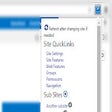
    • Quick links to parent sites, settings, and subsites
    • Direct access to document, custom, and picture libraries
    • Uses the SharePoint REST API for site navigation
    • Chrome add-on that works without server-side install

    Ideal for

    • SharePoint functional admins
    • Site navigation and library access
    • Chrome-based admin workflows
    • Cross-Platform Compatibility

      4 / 10
    • Feature Completeness

      4 / 10
    • Collaboration & Cloud

      3 / 10
    The tool cuts down the clicks SharePoint functional admins spend jumping between sites, settings, and libraries. Its REST API approach keeps deployment light, but it stays firmly in admin-navigation territory rather than broad document editing or collaboration.
    Julianne Omamos
  • 4.5

    Fast SharePoint account switching for admins and testers

    • One-click login as another SharePoint user
    • Skips logout and re-entry of credentials
    • Helps verify access rights and site behavior
    • Chrome extension built for SharePoint Online

    Ideal for

    • SharePoint admins
    • Access troubleshooting
    • Chrome on desktop
    • Collaboration & Cloud

      3 / 10
    • Cross-Platform Compatibility

      3 / 10
    • Feature Completeness

      3 / 10
    The tool’s main strength is speed: it restores the missing switch-user flow in SharePoint Online without forcing a full sign-out. I’d recommend it to admins and testers who need to check permissions or troubleshoot access quickly, but it stays narrowly focused on SharePoint and Chrome.
    Julianne Omamos
Signed in to Softonic as