Editor's choice

4
DeNet Storage is a free Android app that offers secure and private cloud storage for users seeking to store and manage their files in…
Update: Sep 7, 2026 · 17 apps reviewed
Data storage tools keep important files available, organised, and protected across devices. The best options balance easy syncing, dependable backups, clear version history, and strong privacy controls, so you can recover data quickly after mistakes, hardware failures, or accidental deletions. Some are built for simple personal file storage, while others focus on team collaboration, large transfers, or automated backup workflows. Choosing well means checking storage limits, sync speed, recovery options, sharing controls, and whether the service fits the way you work day to day.
DeNet Storage is a free Android app that offers secure and private cloud storage for users seeking to store and manage their files in…
Get our latest tech news first, wherever you read.
Internal Storage is an Android app developed by ARSLAN SHAMSHAD that allows users to easily save and read data of files within the device's…
Stash, developed by Frogdice, is a turn-based MMORPG that adapts tabletop tactics to a persistent fantasy world for strategic multiplayer play. The game centers…
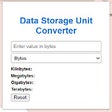
Effortless Data Storage Unit Converter is a quick and easy-to-use program designed to facilitate the conversion between different data storage units. With this tool,…
DahenaCode Storage Manager is a Chrome add-on designed for frontend developers, enabling seamless management of LocalStorage and SessionStorage across tabs. This free tool simplifies…
The Storage App offers users convenient access to self-storage services. Users can make payments, check payment history, rent units, move in/out, and update personal…
Security & Backup
Collaboration & Sync Reliability
Free Tier & Capacity
Datascale stands out for turning tangled SQL into a searchable, shareable lineage map that helps teams work from the same analytics source of truth. It is strongest for organizations that need collaboration and query reuse, but it is not a general-purpose cloud storage or backup tool.
Security & Backup
Collaboration & Sync Reliability
Free Tier & Capacity
DataHatch focuses on encrypted backup and real-time syncing, so it covers the core cloud storage jobs without adding much friction. The free access and straightforward file sharing make it practical for everyday Android backup, though the source material doesn’t spell out advanced collaboration or storage limits.