Typewriter Software for Classic Writing and Focus
Update: Sep 7, 2026 · 56 apps reviewed
Typewriter software recreates the stripped-down writing experience of a classic machine, keeping the focus on text instead of formatting clutter. These tools appeal to writers who want a distraction-free space, a retro typing feel, or a simple way to draft letters, notes, and manuscripts without the overhead of a full word processor. The best options balance authenticity with practicality, offering clean text handling, export support, and useful modern features like autosave or cloud syncing. Choose based on how closely you want the typewriter look and sound, and whether you need plain drafting or polished document output.
Top programs about Typewriter
- 4.6
Typewriter feel with a focus line for distraction-free drafting
- Typewriter-style sound effects while you write
- Custom font and paper settings for the page
- Focus mode highlights the current line in view
- Built for simple text drafting on Android
Ideal for
- Novel drafting on Android
- Screenplay notes and dialogue
- Offline writing sessions
Feature Completeness
4 / 10Breadth of tools for text, tables, formulas, slides, and PDFs.Cross-Platform Compatibility
4 / 10How well files work across devices and with Microsoft or Google formats.Collaboration & Cloud
3 / 10Real-time editing, comments, version history, and sharing.
The focus-line view and typewriter sound make this a strong pick for writers who want a stripped-back drafting space on Android. It does not try to cover collaboration, cloud syncing, or office-document features, so it fits best as a personal writing tool rather than a full suite.
Julianne Omamos - 3.3
46 reviews
Windows trial for document styling with a typewriter look
- Creates typewriter-style text on Windows
- Works as a trial version for document tasks
- Built for simple text-focused office workflows
- Created by Nolad for Windows users
Ideal for
- Windows document styling
- Trial software evaluation
- Text-only office workflows
Cross-Platform Compatibility
4 / 10How well files work across devices and with Microsoft or Google formats.Feature Completeness
4 / 10Breadth of tools for text, tables, formulas, slides, and PDFs.Collaboration & Cloud
3 / 10Real-time editing, comments, version history, and sharing.
The appeal here is the typewriter-style output on Windows, which gives plain text a distinct look for document-focused work. It is a trial version, so I would treat it as a niche utility rather than a full office suite replacement.
Julianne Omamos - 5
1 reviews
Typewriter sounds for distraction-free document typing
- Plays typewriter key sounds as you type in editors
- Includes Smith & Corona, Olivetti, and Royal sounds
- Adds keyboard themes to personalize your writing setup
- Supports word suggestions, emojis, and Bluetooth keyboards
Ideal for
- Android writers in text editors
- Bluetooth keyboard typing on tablets
- Nostalgic note-taking setup
Feature Completeness
4 / 10Breadth of tools for text, tables, formulas, slides, and PDFs.Cross-Platform Compatibility
3 / 10How well files work across devices and with Microsoft or Google formats.Collaboration & Cloud
2 / 10Real-time editing, comments, version history, and sharing.
The standout here is the typewriter-style key feedback, which can make long writing sessions feel more tactile on an Android phone or tablet. I’d treat it as a niche companion for writers who care more about typing mood than document features, since it adds sound and customization rather than collaboration or file handling tools.
Julianne Omamos - 4.8
Typewriter texture with manual underline control
- Distressed glyphs add ink-bleed typewriter texture
- Underscore-driven underlines with width control
- Standard alphanumerics and basic punctuation support
- TTF format installs cleanly on Windows and macOS
Ideal for
- Invitation headings
- Scrapbook layouts
- Desktop design fonts
Cross-Platform Compatibility
4 / 10How well files work across devices and with Microsoft or Google formats.Feature Completeness
4 / 10Breadth of tools for text, tables, formulas, slides, and PDFs.Collaboration & Cloud
2 / 10Real-time editing, comments, version history, and sharing.
The underline mechanic is the standout here, giving designers character-level control over a handcrafted typewriter look in headers and labels. I’d use it for short decorative copy, not long documents, since the basic Latin set and manual spacing make it a poor fit for broad office writing.
Julianne Omamos - 4.9
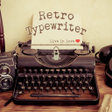
Vintage typewriter fonts for retro document styling
- Monospaced letterforms with gentle rounded serifs
- Solid, bold, textured, and rough-edged font styles
- Distressed details that add a handcrafted look
- Works well for editorial layouts and poster text
Ideal for
- Editorial title pages
- Retro branding mockups
- Invitations and merchandise text
Cross-Platform Compatibility
4 / 10How well files work across devices and with Microsoft or Google formats.Feature Completeness
4 / 10Breadth of tools for text, tables, formulas, slides, and PDFs.Collaboration & Cloud
3 / 10Real-time editing, comments, version history, and sharing.
The strength here is the vintage typewriter look, with enough style variation to give documents a distinct personality. It is best suited to titles, invitations, and layout accents rather than full office-suite work like collaboration, spreadsheets, or file sharing.
Julianne Omamos - 4.5
A playful typeface for a more personal Android display
- Changes the Android UI font with one FlipFont install
- Blends old typewriter style with comic book lettering
- Supports Western, Central, and Eastern European text
- Adds a whimsical, friendly look to on-screen text
Ideal for
- Android personalization fans
- Multilingual device setups
- Typewriter-inspired display themes
Collaboration & Cloud
3 / 10Real-time editing, comments, version history, and sharing.Cross-Platform Compatibility
3 / 10How well files work across devices and with Microsoft or Google formats.Feature Completeness
3 / 10Breadth of tools for text, tables, formulas, slides, and PDFs.
The appeal here is visual rather than functional: Storyline Typewriter FlipFont gives Android text a nostalgic, playful personality with broad European language coverage. It does not add office-document tools, so I’d treat it as a display customization pick rather than a productivity app.
Julianne Omamos - 4.4
Vintage typewriter styling for standout document design
- Monospaced letterforms with classic serif details
- Textured edges and ink blotches for a worn look
- Solid and rough styles for layered typography
- Built for headlines, packaging, and branding text
Ideal for
- Editorial headline treatments
- Vintage packaging mockups
- Brand identity wordmarks
Collaboration & Cloud
3 / 10Real-time editing, comments, version history, and sharing.Cross-Platform Compatibility
3 / 10How well files work across devices and with Microsoft or Google formats.Feature Completeness
3 / 10Breadth of tools for text, tables, formulas, slides, and PDFs.
Harting brings a strong vintage voice to headline and branding work, with enough texture and variation to make typography feel handcrafted. It is less about document productivity features and more about giving office-style layouts a distinctive, nostalgic finish.
Julianne Omamos