Education & Reference (1202 programs)
Pros: Has options for different kinds of questions. Can disable cursor when necessary. Also includes a timer. Displays the first person who chose the correct answer.
Cons: Multiple choice only supports ten choices. No optimal for open-ended questions. Not compatible with Windows 10. Only compatible with MS Powerpoint 2007 and 2010.
Pros: Formatted like a regular oscilloscope. Fast fourier transform (FFT) works well. Clear and responsive display. All scope controls offered.
Cons: Not for novice users. Lacks some common oscilloscope features. No user manual. Low frequency response.
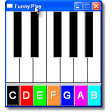
Pros: Play piano without a musical keyboard. Produce high-quality piano sounds. Add sample sound clip to piano songs. Open processed songs with other music editors.
Cons: Cons: Only records in wav, MIDI Mapper or Microsoft GS Wave Table Synthesizer. Requires dexterity to play the piano with keyboard and mouse. Lacks any new update. Limited options for drum machine, octaves and melody.
Pros: Easy to use. Open-source and lightweight. Built-in calculator is great. Supports various output formats.
Cons: Not beginner-friendly. Looks unlike most CAD software. Pre-built components are tough to find. Working with libraries can be confusing.
Pros: Quickly and easily create sheet music with or without lyrics. Use the playback features to hear your music as soon as you've written it.
Cons: This application is a free trial after 30 days purchase is required to use.
Pros: This software application has been recognised by many respected governmental organisations.. Updates and improvements regularly occur..
Cons: This package is not accessible via standard applications or downloads.. It is intended to be used by those who already possess a significant amount of knowledge..
Pros: Smaller learning curve. Quite easy to use. Most essential features. Great custom libraries.
Cons: No dynamic libraries. Poor help documents. Few additional features. Weak default libraries.
Pros: Handy TAP function. Range of preset tempos.
Cons: Doesn't save last tempo. Dated visual design. (Note to editor: the product is called Desktop Metronome. not Free Metronome. Here's the keywords to make the system accept the article; please delete. Free metronome free metronome).
Pros: Easy to use. Works with multiple FreeDict dictionaries. Built-in search capabilities. Lexicons for a range of languages.
Cons: Not frequently updated. Interface looks old. Documentation page isn’t self-explanatory enough. Offline functionality may not always work seamlessly.