Educational (125 programs)
Pros: Easy and intuitive controls. Doesn't require a console or emulator to run.
Cons: Dated graphics. Has a permadeath feature.
Pros: Helps children learn to code through fun exercises. Features 288 algorithm coding games. There are 24 levels to play through, offering increasingly difficult coding challenges. The syllabus covers a range of topics, including AR and 2D games.
Cons: The service is relatively new and untested.
Pros: Unique community-driven concept focused on collaborative art. Weekly themed galleries encourage replay and variety. Accessible drawing tools with optional Deluxe DLC for more features. Relaxed, creative atmosphere free from competitive pressure.
Cons: Free version has limited tools compared to the Deluxe upgrade. Overwrites and lack of structure may frustrate goal-oriented players.
Pros: Interactive written and video form lessons. Dozens of projects to observe. Cheat sheets available for new techniques.
Cons: Text guides are cut off in full screen mode.
Pros: Firsthand experience in the platformer characters development. Packed with realistic game elements. Tweak functions to your liking. Free to play.
Cons: Missing help button.
Pros: Over 6,800 questions ensure high replayability. Excellent 1-8 player couch co-op support. Fully voiced, animated, show-like experience. Customizable cosmetics and progression system.
Cons: Questions sometimes feel misaligned with the grade level. Skipping dialogue is slow and tedious. Bugs reported in the permanent record unlock system. Category becomes repetitive after early grades.
Pros: Ad-free and completely free to use. Simple controls tailored for preschoolers. Engaging visuals and rewards system. Encourages basic cognitive and motor skills.
Cons: No adjustable difficulty or progression system. Limited variety may not hold older kids’ attention.
Pros: Easy to use. Fun and colorful. Gentle learning pace.
Cons: Limited depth. Outgrown quickly.
Pros: Kid-friendly and visually engaging. Supports early English and phonics skills. Self-paced, stress-free learning.
Cons: Limited parental controls. Few advanced customization options.
Pros: Completely free and colorful with engaging mini games. Multiple learning methods. Kid-safe and parent-friendly.
Cons: Some modes can feel repetitive. Might be too simple for older kids.
Pros: Free to download. Child-friendly, distraction-free interface. Teaches both uppercase and lowercase letter tracing. With Teacher Mode.
Cons: Repetitive tracing and matching tasks.
Pros: Interactive games for learning numbers and basic math. Colorful graphics, immersive sounds. Parent customization option. Free and accessible.
Cons: Too simple for older kids.
Pros: Two full games in one. Hilarious story and exercises. Supports different keyboard layouts. No need to unlock anything.
Cons: Performance can be janky on PC. Disregards capitalizations and punctuations with the Shift key. Tricky to use the Soul Gauge.
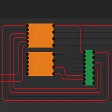
Pros: Neat and minimalist user interface. Uses click and drag system. Generates its own gates.
Cons: Lacks in-program tutorial. Requires knowledge of circuits and truth tables.
Pros: Has a number of tools to play with.. Features a fully 3D bird.. Appropriate for all ages.. Fun and colorful..
Cons: Lacks replay value.. Has no animations for the bird beyond rotation.. No option to import your own elements.. No sound..