
How To
How to install Slender: The Arrival on Mac

- February 21, 2013
- Updated: July 2, 2025 at 8:36 AM
 The sequel to Slender – Slender: The Arrival – is currently available in beta for Windows but Mac users have to wait until the game is officially released on March 26th to try it for themselves.
However, thanks to a magical free tool called Wineskin, you can install Slender: The Arrival on your Mac right now. Here’s how to install Slender: The Arrival on your Mac in 10 easy steps.
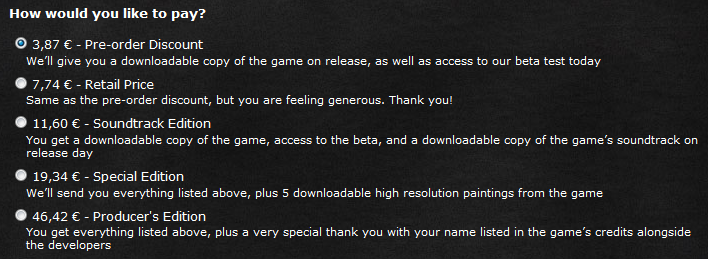
1. First you need to purchase the beta version of Slender: The Arrival. Remember that buying it now at the special discounted beta price entitles you to a free copy of the full game for Mac when it is released on March 26th so if you intend on buying it anyway for Mac, it’s worth buying the Windows version now so that you’ll have a copy for both Windows and Mac on March 26th.
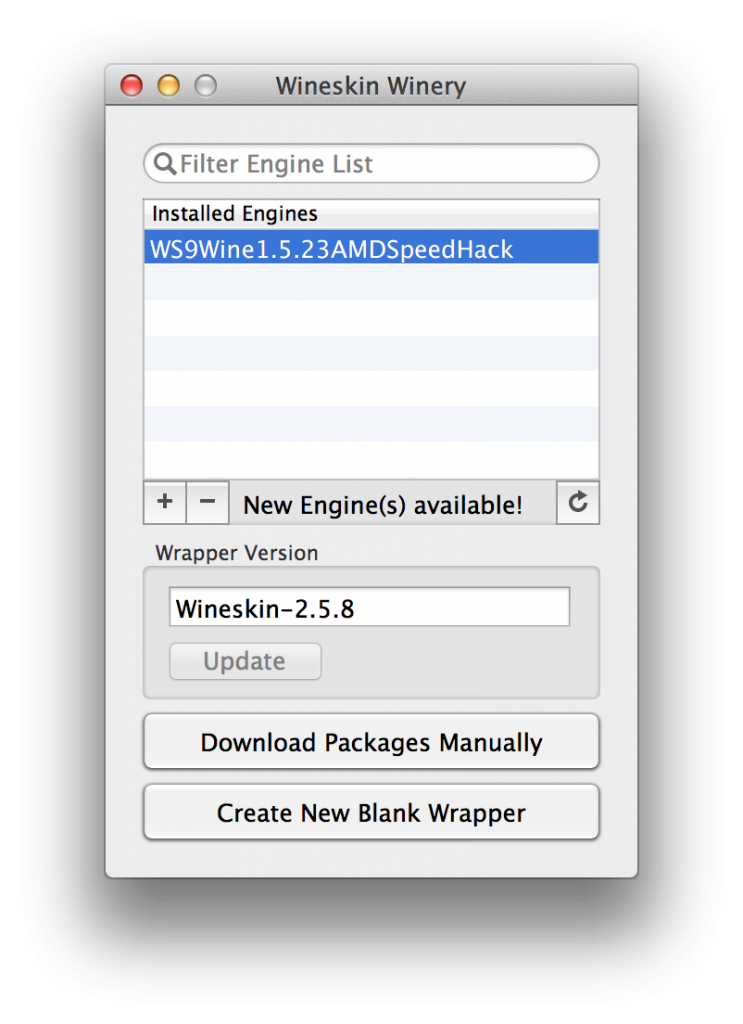
2. Download and install Wineskin Winery and open it. You’ll be presented with the following interface:
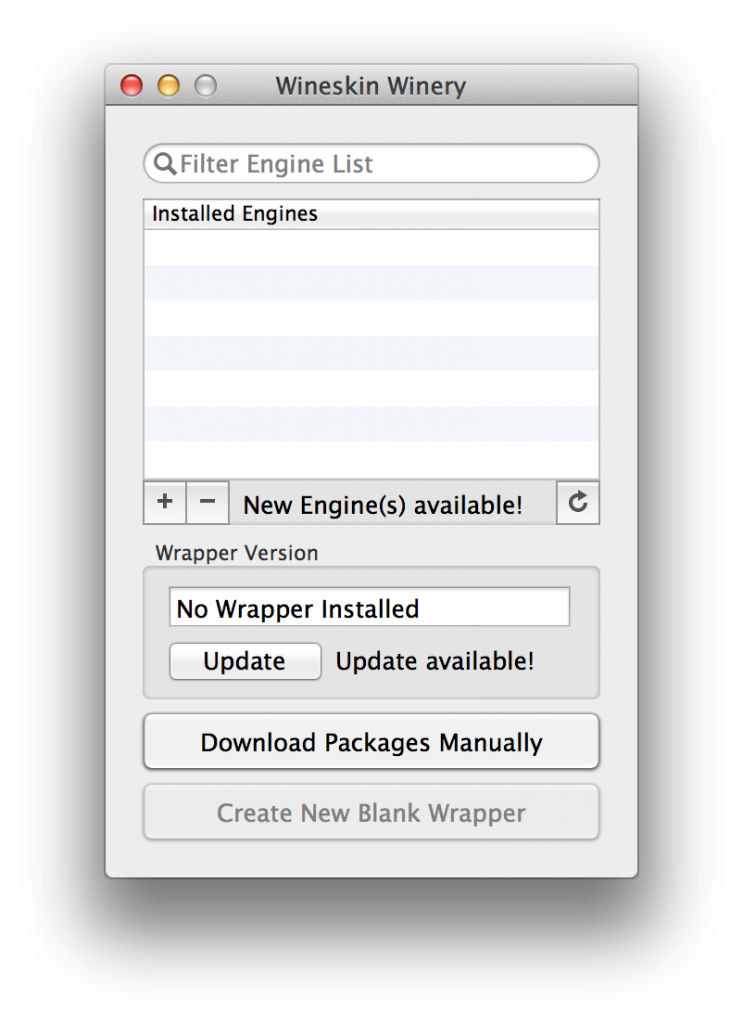
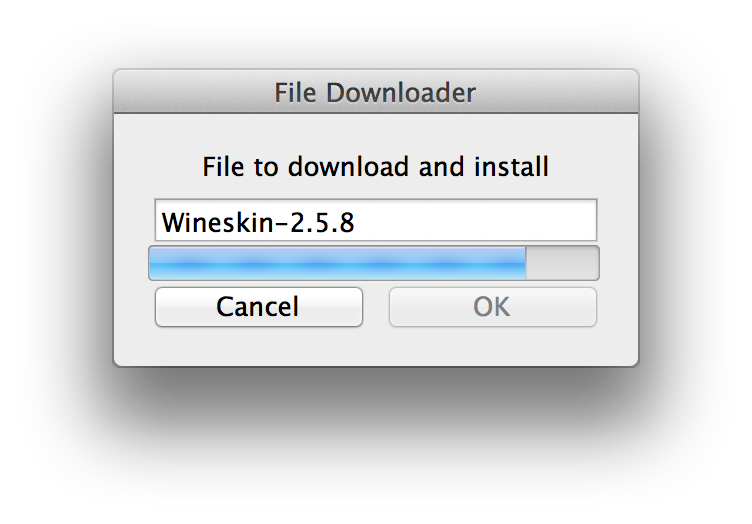
3. First you must update Wineskin Winery before proceeding any further. Just, click Update and OK when done. This may take a few minutes depending on your connection speed. If it fails the first time, try again.
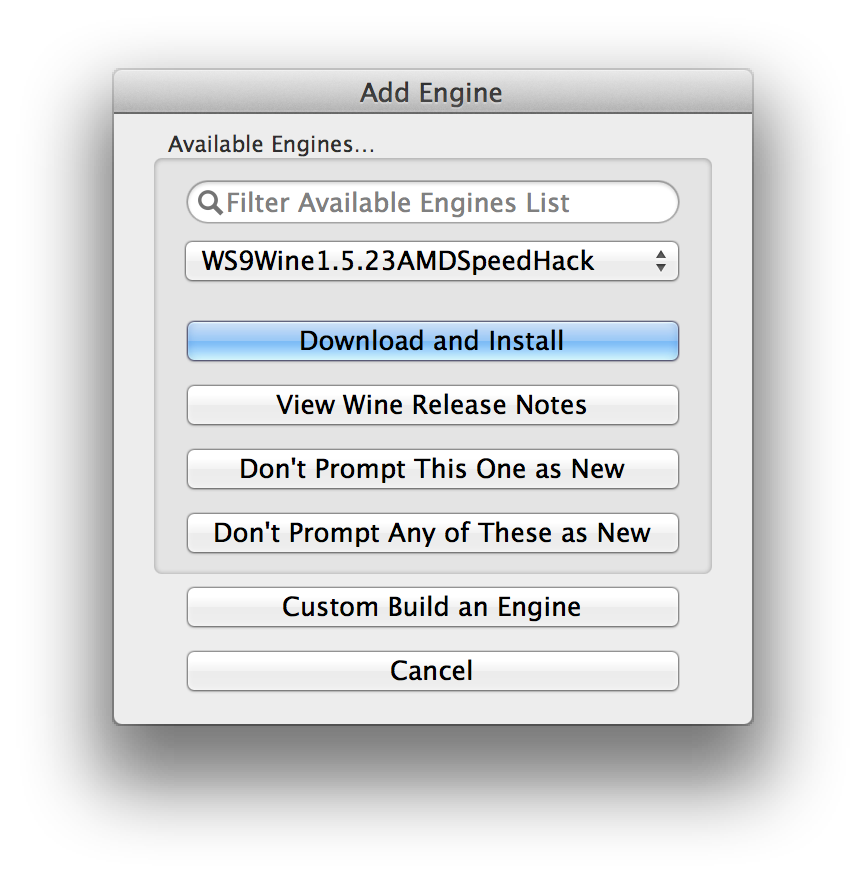
4. Select the + symbol next to the “New Engine(s) Available” message and add the WS9Wine1.5.23AMDSpeedHack engine. Again, this make take a few minutes to download depending on your connection and you may have to try more than once.
5. Once you’ve downloaded the engine, click on Create New Blank Wrapper at the bottom. Call it whatever you like when prompted e.g. “Slender – The Arrival Beta”.
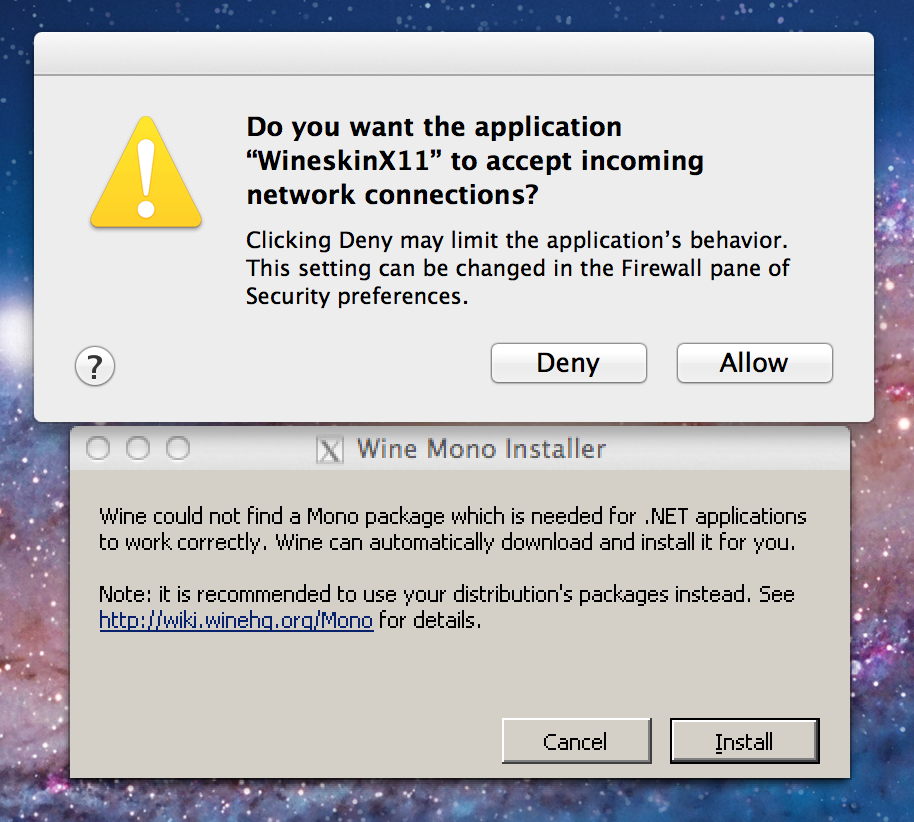
You may then see the following message if its the first time you’ve installed Winery – just Allow and Install both.
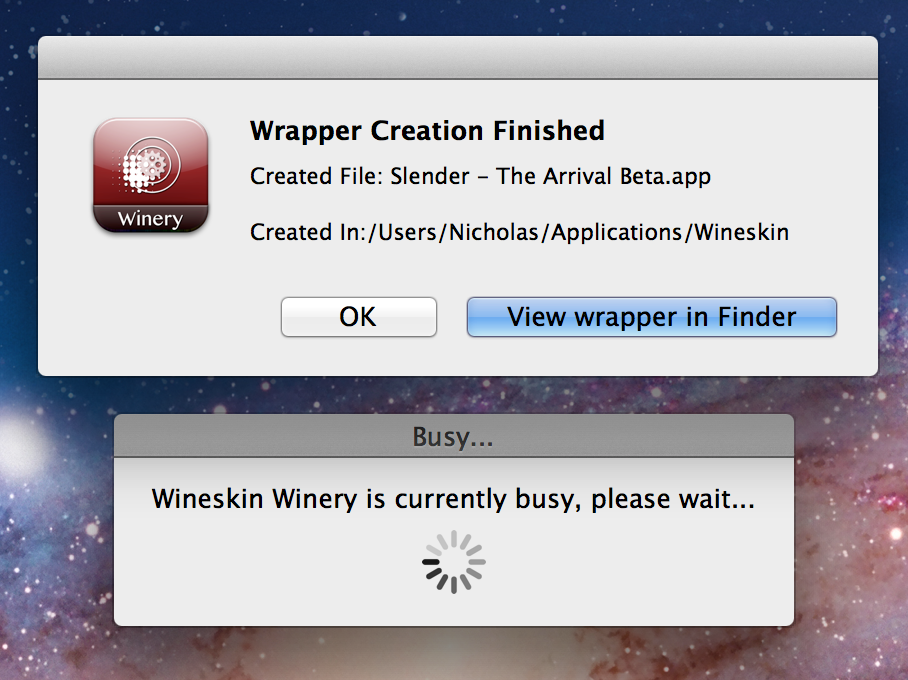
You should then get the following message.
6. Open the “Slender – The Arrival Beta” wrapper wherever you have saved it (such as the desktop) and you’ll see this panel. Click on Set Screen Options:
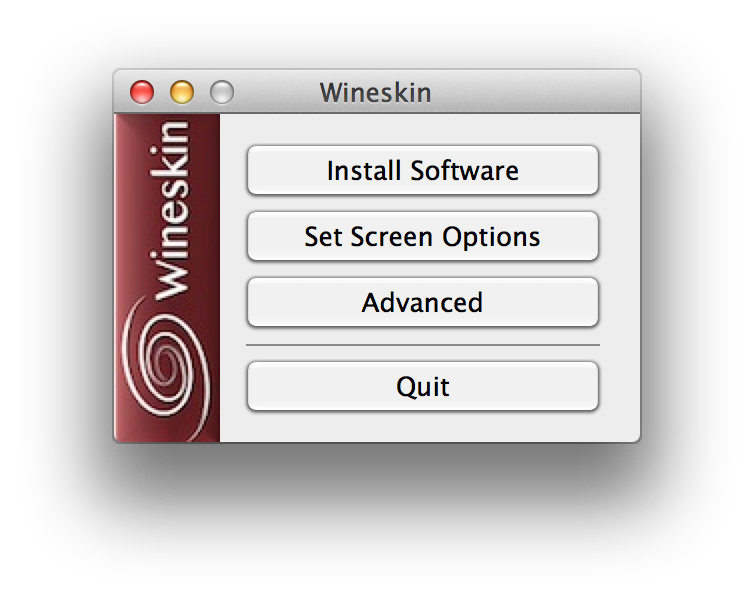
7. Uncheck the box that says Decorate Windows and click Done.
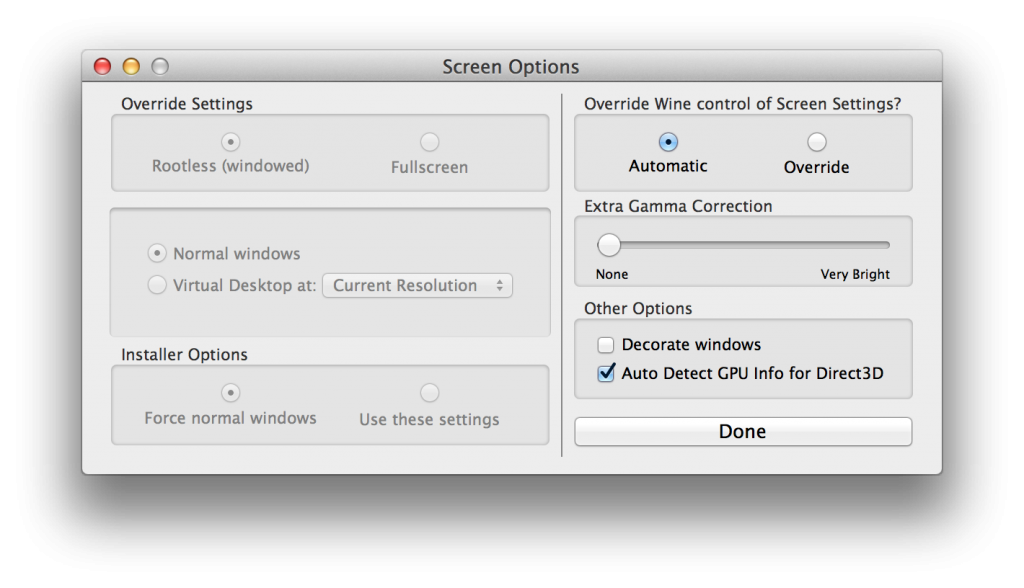
8. Back in the main panel, click Advanced and click Install Software in the bottom left corner:
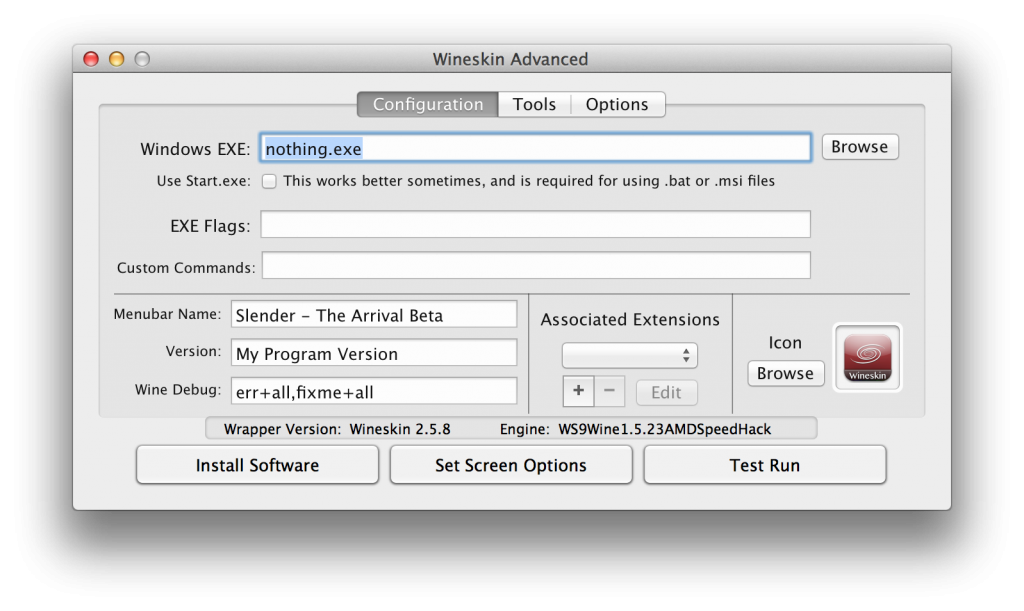
9. Select Choose Setup Executable and browse to wherever you have saved the SlenderTheArrival.exe file that you purchased at the beginning.
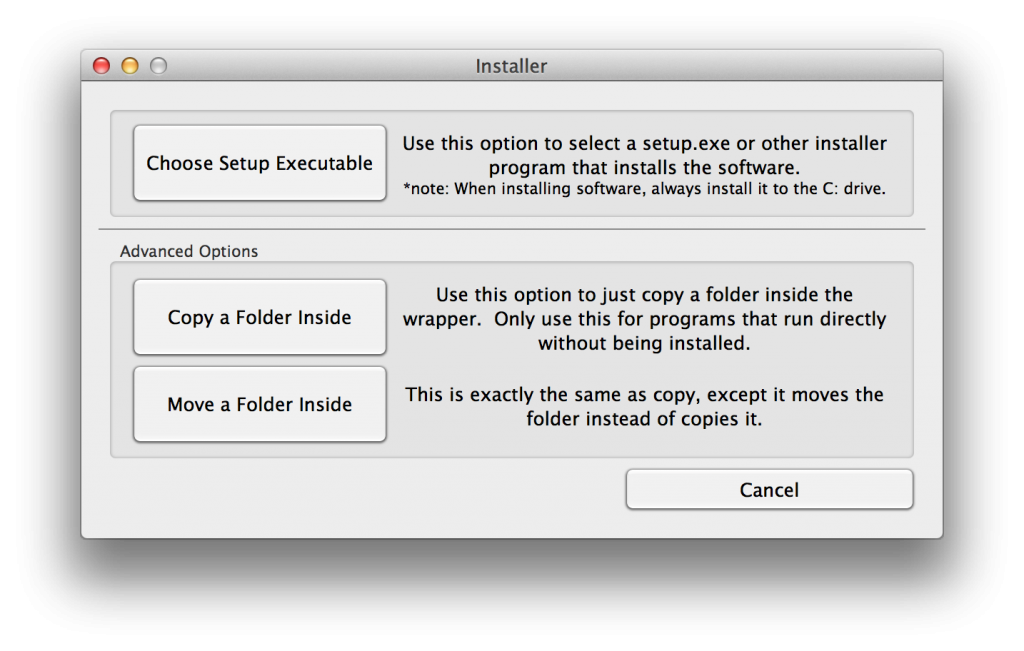
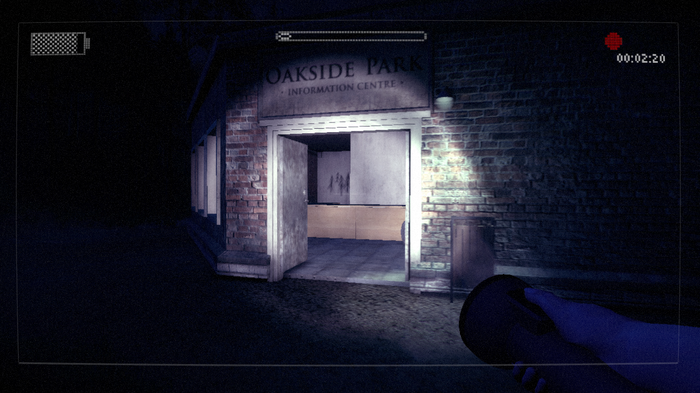
10. Then just follow the game setup instructions and enjoy Slender The Arrival on your Mac!
You may also like
 News
NewsThis Diablo IV class is overpowered and players have flooded the internet with reviews
Read more
 News
NewsJames Cameron is getting demanding with theaters and sending them instructions on how to watch Avatar 3
Read more
 News
NewsThis incredible RPG introduces an upgrade that leaves fans speechless
Read more
 News
NewsSteam has added an option that will save you a lot of euros
Read more
 News
NewsAsahi is more than just beer, and it has now announced that it will create a unit against cybercrime
Read more
 News
NewsSports are attracting subscribers to streaming services. What's the problem? They don't stick around
Read more