Editor's choice

4
1664 reviews
Cisco Packet Tracer is a network simulation tool from Cisco designed for learning, testing, and visualizing how computer networks behave without needing real hardware.…
Update: Sep 7, 2026 · 21 apps reviewed
Cisco software covers the tools that keep enterprise networks, routers, switches and remote connections under control. The strongest options help admins monitor traffic, configure devices, manage VPN access and troubleshoot outages without jumping between separate consoles. When choosing Cisco-related software, look for compatibility with your hardware, clear visibility into network performance, and automation features that reduce repetitive configuration work. Good tools also make security easier to enforce, especially when teams need reliable access control and stable infrastructure across multiple sites.
1664 reviews
Cisco Packet Tracer is a network simulation tool from Cisco designed for learning, testing, and visualizing how computer networks behave without needing real hardware.…
Get our latest tech news first, wherever you read.
542 reviews
Cisco Network Magic, originally developed by Pure Networks and later published by Cisco, is a legacy network management tool for home and small office…
MCP Packet Tracer, developed by Mats2208, is a free tool designed to bridge AI models with Cisco Packet Tracer. Built with Python 3.11+, it…
This tool gives you the power to control a Cisco IP phone on your phone's Web browser. It allows you to navigate to a…
Core Capability Depth
Deployment Experience
Ecosystem Integration
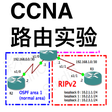
The tool stands out for packing a broad CCNA lab set into one place, with enough routing and IP service coverage to support serious study. Its value is strongest for learners who want guided practice, though the source does not show any DevOps-style integrations or deployment features.
Core Capability Depth
Deployment Experience
Ecosystem Integration
TranslatorX is built for engineers who need to turn fragmented Cisco logs into a single troubleshooting view fast. Its read-only collection, broad protocol support, and zero-install standalone build make it practical in the field, but the learning curve is real and the LLM-based analysis is still only in beta.
Deployment Experience
Core Capability Depth
Ecosystem Integration
The tool focuses on CCNA fundamentals with structured practice across routing, switching, and the OSI model, which makes it useful for network trainees who need repeated concept checks. It stays narrow, though, so it is more of a study aid than a broader DevOps or infrastructure training platform.
Cisco Vulnerability Management is a subscription-based web application designed to streamline the identification and management of security vulnerabilities across various systems. This tool offers…