Editor's choice
5
2 reviews
CustomizerGod is a personalization app that provides users with a streamlined way to modify a wide range of Windows icons from one central hub.…
Update: Sep 7, 2026 · 8 apps reviewed
Desktop icon tools for Windows 7 help you reshape the look of the desktop without changing the whole operating system. Some focus on custom icon packs and quick replacements, while others add size controls, layout saving, or automatic icon refresh after theme changes. The best options make it easy to restore the default look, keep icons crisp at different resolutions, and avoid cluttering the desktop with extra system tweaks. When choosing a tool, look for compatibility with Windows 7, lightweight performance, and enough control to match your preferred style. Explore top picks for Windows.
2 reviews
CustomizerGod is a personalization app that provides users with a streamlined way to modify a wide range of Windows icons from one central hub.…
Choose Softonic on Google and you'll see more of our articles in Top Stories, AI Overviews and AI Mode.
29 reviews
7Conifier is a powerful, free program only available for Windows, being part of the category Desktop customization software with subcategory Icons (more specifically Organizers…
79 reviews
Ikony Windows 7 is a great, free Windows software, being part of the category Desktop customization software with subcategory Icons (more specifically Themed Collections).…
182 reviews
The Left 4 Dead HUD Desktop is a free personalization software designed for Windows users who want to bring the iconic gaming interface to…
24 reviews
Visual Customization
System Impact
Widget Variety
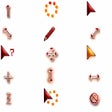
This tool's elegant cursor icons make it a standout for desktop customization enthusiasts. It provides a seamless way to refresh your interface without any cost.
Flag Icons is a versatile WordPress plugin that allows users to seamlessly integrate flag icons into their websites. This plugin is categorized under Education…