Editor's choice

4.9
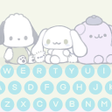
Cute Keyboard: Theme Launcher is an innovative Android application designed to enhance your typing experience and personalize your phone's interface. This free utility combines…
Update: Sep 7, 2026 · 537 apps reviewed
Cute theme apps turn a plain phone into something softer, brighter, and more personal. They usually combine wallpapers, icons, widgets, lock screen styles, and launcher tweaks to create a coordinated look instead of a random mix of visuals. The best options balance charm with usability, so the interface stays easy to read, quick to navigate, and light on battery and storage. When choosing one, look for customization depth, icon consistency, theme updates, and whether the design still feels polished after daily use.
Cute Keyboard: Theme Launcher is an innovative Android application designed to enhance your typing experience and personalize your phone's interface. This free utility combines…
Choose Softonic on Google and you'll see more of our articles in Top Stories, AI Overviews and AI Mode.
1 reviews
Customize your Android device with our cute keyboard themes for girls! Whether you’re looking for a simple keyboard or one with a unique design,…
Simple Pink Butterfly Theme is a free Android personalization app designed to enhance your typing experience with a beautiful pink butterfly aesthetic. This keyboard…
Step into the darkly cute and mischievous world of Kuromi with the Kuromi Keyboard Theme. This enchanting mobile app allows you to customize your…
Cute Shimee: Anime Screen Pet is a free Android application that brings adorable anime companions to your device, allowing users to customize and interact…
ADW Theme -Miku Hatsune- is a personalization theme designed for users of 'ADWLauncher' or 'ADWLauncher EX' on Android devices. This free theme brings the…
Eye Message_Kat Talk Theme_ Blue is a stylish and visually appealing theme designed for the popular messaging app KakaoTalk. This theme, developed by W2D_what2do,…
Sanrio Keyboard Theme Kawaii is a free personalization app designed for Android devices that enhances your mobile keyboard with delightful themes inspired by beloved…