Editor's choice

3.7
93 reviews
Awesome Duplicate Photo Finder is a free utility developed by Duplicate Finder that helps users find and remove duplicate or similar photos on their…
Update: Sep 7, 2026 · 59 apps reviewed
Duplicate photo finder tools help you reclaim storage by spotting identical and near-identical images scattered across folders, backups and imports. The strongest options compare filenames, file sizes, timestamps and visual similarity, so you can catch burst shots, edited copies and accidental re-saves without deleting the wrong file. Good tools make review fast with side-by-side previews, smart selection rules and safe recovery options. They are especially useful for photographers, phone users and anyone cleaning up a messy image library before moving files to a new device or cloud account.
93 reviews
Awesome Duplicate Photo Finder is a free utility developed by Duplicate Finder that helps users find and remove duplicate or similar photos on their…
Get our latest tech news first, wherever you read.
FindSameImagesOK is a free photography utility made by SoftwareOK for PCs. It is a tool that can help users search for duplicate photos among their files and delete them. It…
55 reviews
Duplicate Photo Finder allows users to easily find duplicate photos and remove them from their computers. The application is lightweight and doesn't require al…
If you have lots of duplicate or similar-looking photos on your Android device, Duplicate Photos Remover - Recover Storage Space will help you get…
Remo Duplicate Photos Remover is a free Android app developed by Remo Software. This tool is designed to locate, preview, and delete duplicate photos.…
File Operations
Navigation & Organization
Format & System Support
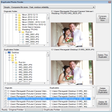
The strongest point here is its focused duplicate detection: it compares file name, size, and image content, then lets you preview before removal. I’d use it when a Windows photo library has gotten messy and storage is tight, but it stays narrowly centered on duplicate cleanup rather than broader file management.