Best Fingerprint Lock Apps for Android
If you want to enhance mobile security, the fingerprint lock apps for Android on offer provide biometric authentication, app lockers, secure vaults for photos and files, and fingerprint gesture controls. These apps allow you to replace or supplement PINs and patterns, restrict access to sensitive apps, and add fingerprint-based shortcuts for faster navigation. They solve privacy and convenience pain points by protecting personal data, preventing unauthorized access, and bringing biometric features to devices that lack robust native support.

Arlin Fabaliña
Top programs about Fingerprint Lock For Android
- Editor's Choice
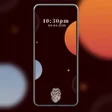
This free Android tool lets you personalize your device with themed fingerprint wallpapers. You can choose from a wide variety of styles, including abstract, animals, space, and nature themes.
Fingerprint Lock Screen lets you set up a lock using your device's scanner. It offers themes for its menu, but it doesn't override the default lock screen and many of its features are useless.
Secure your device and prank others with a simulated fingerprint scanner. This app also offers real lock options like patterns and codes, and lets you customize your screen with high-quality wallpapers.
Add stunning fingerprint themes to your Android lock screen with this personalization app. You can choose from various customizable animations and wallpapers to create a unique and elegant device experience.
Customize your device with a selection of futuristic and simple wallpapers using this tool. With an easy-to-navigate UI, it's a decent choice if you want to find an edgy new look for your screen.
Screen lock Fingerprint Themes is a personalization app that offers a large collection of HD wallpapers. You can easily customize your device with its romantic or trendy fingerprint-style backgrounds.
Secure your Android device with an 8-digit password, pattern, or fingerprint lock. You can customize the look with various themes, adding a handy layer of protection against intruders.
AppLock PRO lets you secure specific apps and photos on your Android device. You can limit access with a fingerprint, password, or pattern, giving you flexible control over your private files.
This app helps you secure your phone by hiding applications and locking data like contacts or media in a vault. Its Selfie Intruder feature is a key strength, making it ideal if you share your device.
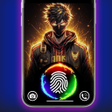
Personalize your Android device with live fingerprint animations for your lock screen. You can easily browse and apply vibrant designs featuring pop culture characters, but be mindful of increased battery usage.



Related topics about Fingerprint Lock For Android
Fingerprint lock apps often fail due to OEM lock-screen restrictions; prioritize those using Android’s biometric prompt and offering clear fallback PIN options for reliability.