Hacker Tools for Ethical Testing and Security | 3
Update: Sep 7, 2026 · 137 apps reviewed
Hacker tools cover the software used to probe systems, test defenses, and uncover weaknesses before attackers do. The category ranges from password auditing and network scanning to packet analysis, vulnerability research, and penetration testing suites. Good tools balance depth with control, giving security teams enough visibility to map risks without overwhelming them with noise or false positives. The best options also support modern protocols, reporting, and repeatable workflows so findings can be verified and fixed quickly. Choose based on your skill level, the systems you need to test, and how much automation you want in the process.
Top programs about Hacker
- 4.4
Hacker-style terminal visuals with animated alerts
- Simulates fast code typing across 15+ languages
- Adds Matrix, Cyberpunk, and Red Alert themes
- Displays random ACCESS GRANTED and DENIED alerts
- Full-screen terminal look with dynamic animations
Ideal for
- Android prank screens
- Coding skit props
- Terminal-style visuals
System Performance Impact
4 / 10CPU, memory, and battery use during scans and background protection.Extra Security Tools
2 / 10Additional features: firewall, parental controls, VPN, and network monitoring.Protection Breadth
2 / 10Types of threats covered: malware, ransomware, phishing, web, and email.
The tool leans hard into spectacle, with animated terminal output, themed visuals, and fake access alerts that sell the hacker effect. It does not add real antivirus or protection features, so it belongs here only as a visual simulator, not a security app.
Ronnel Angelo Arsolon - Free Download for Chrome
Other platforms
4.4DevTools-based request testing for web security checks
- Repeater, Intruder, Decoder, and Scanner in DevTools
- Capture, edit, and replay HTTP requests from the tab
- Searchable request list with filtering controls
- Response viewer plus AI security test suggestions
Ideal for
- Web app security testing
- OWASP findings review
- Chrome DevTools workflow
Extra Security Tools
6 / 10Additional features: firewall, parental controls, VPN, and network monitoring.Protection Breadth
5 / 10Types of threats covered: malware, ransomware, phishing, web, and email.System Performance Impact
4 / 10CPU, memory, and battery use during scans and background protection.
HackTools++ puts a focused web-testing toolkit inside Chrome DevTools, so I’d use it when I need to inspect and replay requests without leaving the browser. It’s strongest for developers and security testers working through OWASP-style checks, but it stays narrowly aimed at web application analysis rather than broad antivirus coverage.
Ronnel Angelo Arsolon - 4.6
14 reviews
Free horror roleplay with puzzle-driven hacking missions
- Puts you in the role of a lone hacker
- Adds story missions from different clients
- Centers each job on solving a set puzzle
- Uses a horror-game setup for tense play
Ideal for
- Fans of movie-inspired horror stories
- Players who like client-based missions
- Puzzle-solving roleplay on mobile
System Performance Impact
4 / 10CPU, memory, and battery use during scans and background protection.Protection Breadth
3 / 10Types of threats covered: malware, ransomware, phishing, web, and email.Extra Security Tools
2 / 10Additional features: firewall, parental controls, VPN, and network monitoring.
The hook here is the horror-story framing around client jobs and puzzle solving, not any real security utility. As an Antivirus & Protection pick, it offers no protection features at all, so it only makes sense if you want a free mobile game with a hacking theme.
Ronnel Angelo Arsolon - 3.4
250 reviews
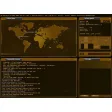
Hacker: Cyber Warfare is a powerful, free Windows game, being part of the category PC games.
- 4.5
8 reviews
Terminal-style launcher with fast command shortcuts
- Runs typed commands to launch actions instantly
- Uninstalls apps and edits notes from one prompt
- Adds contacts to folders with command-style input
- Customizable launcher themes for a personalized look
Ideal for
- Android power users
- Custom launcher setups
- Terminal-style phone control
System Performance Impact
4 / 10CPU, memory, and battery use during scans and background protection.Protection Breadth
3 / 10Types of threats covered: malware, ransomware, phishing, web, and email.Extra Security Tools
2 / 10Additional features: firewall, parental controls, VPN, and network monitoring.
The appeal here is speed and style: Hacker System Launcher turns everyday Android tasks into typed commands and adds a hacker-themed launcher look. It is not a security app, so it brings no real antivirus or protection features, but it can still suit users who want quicker phone control and a more personalized home screen.
Ronnel Angelo Arsolon - 4.8
Ethical hacking lessons with quizzes and interview prep
- Step-by-step chapters on hacking fundamentals and scams
- Covers defensive strategies against common cyber threats
- Interactive quizzes with dated, timed result tracking
- 20+ interview questions with detailed answers
Ideal for
- Beginner cybersecurity learners
- Interview prep for security roles
- Self-paced study on Android
Extra Security Tools
4 / 10Additional features: firewall, parental controls, VPN, and network monitoring.Protection Breadth
4 / 10Types of threats covered: malware, ransomware, phishing, web, and email.System Performance Impact
4 / 10CPU, memory, and battery use during scans and background protection.
The app focuses on cybersecurity education rather than live protection, so it adds no firewall, VPN, or malware scanning tools. I’d use it as a training companion for beginners and job seekers who want structured lessons, quizzes, and interview practice on Android.
Ronnel Angelo Arsolon - 5
1 reviews
Command-line hacking sim with resource management
- Manage PC power, money, and knowledge as core resources
- Enter commands in a command-line interface to progress
- Plan each move carefully to clear increasingly hard levels
- Simple graphics and sound support the simulation loop
Ideal for
- Android strategy game fans
- Command-line gameplay sessions
- Free time-management sim play
System Performance Impact
4 / 10CPU, memory, and battery use during scans and background protection.Extra Security Tools
3 / 10Additional features: firewall, parental controls, VPN, and network monitoring.Protection Breadth
3 / 10Types of threats covered: malware, ransomware, phishing, web, and email.
The command-line setup and three-resource loop give Haker a focused, strategic rhythm that rewards planning over speed. Its simple presentation keeps the action readable, though the experience is clearly built for simulation fans rather than anyone expecting real antivirus or protection tools.
Ronnel Angelo Arsolon - 4.4
Advanced typing controls for power users
- Full PC-style keys: Ctrl, Alt, F1-F12, Esc, Tab
- Cursor, Home/End, Page Up/Down, and delete keys
- Hidden suggestion area frees up more typing space
- Custom layouts, colors, and backgrounds via XML
Ideal for
- Android power users
- Custom keyboard layouts
- Personalized typing setups
System Performance Impact
4 / 10CPU, memory, and battery use during scans and background protection.Protection Breadth
3 / 10Types of threats covered: malware, ransomware, phishing, web, and email.Extra Security Tools
2 / 10Additional features: firewall, parental controls, VPN, and network monitoring.
The editor is built for Android users who want a keyboard that behaves more like a PC, with dense shortcut keys and deep visual customization. It is a niche pick rather than a security tool, so it adds no antivirus-style protection features and makes sense only if advanced typing control matters more than broad device defense.
Ronnel Angelo Arsolon