Everywhere Essentials QR Data App is a free Windows program, that is part of the category Utilities & Tools and has been published…
Free Windows Scanner Software for Easy Digitizing | 2
Update: Sep 7, 2026 · 19 apps reviewed
Free Windows scanner software helps turn paper documents, receipts and photos into searchable digital files without paying for a full document suite. The strongest tools make it simple to choose resolution, crop edges, clean up shadows and export to common formats like PDF or JPG. OCR support is a major plus if you need text you can search, copy or edit later. When comparing options, look for scan quality, device compatibility, batch scanning and whether the app adds watermarks, limits pages or pushes you into a paid upgrade. Explore top picks for Windows.
Top programs about Scanner For Windows Free
- 4.1
Choose Softonic on Google and you'll see more of our articles in Top Stories, AI Overviews and AI Mode.
- 3.1
15 reviews
TWAIN scanner capture to PDF or JPEG
- Connects to TWAIN-capable scanners on Windows 10+
- Scans documents straight into PDF files
- Exports scans as JPEG images on the spot
- Uses keyboard or touch input for scanner password
Ideal for
- Office document archiving
- Windows 10 scanner workflows
- PDF and JPEG output
Speed & Reliability
7 / 10Launch speed, shutter lag, autofocus speed, and overall stability.Capture Quality
6 / 10Quality of images or scans, including HDR, low-light, and OCR precision.Camera Controls
5 / 10Manual controls available: ISO, focus, exposure, timer, and pro settings.
The tool focuses on one job: pulling documents from a TWAIN scanner and saving them immediately as PDF or JPEG. It’s a solid fit for straightforward Windows scanning, but it stays narrowly scoped with no advanced capture controls or image-quality extras.
Jay Ricson Biñas - 4
Real-time security checks for multi-language code
- Inline vulnerability alerts as you write code
- Flexible rule model for custom security checks
- Language analyzers across multiple programming stacks
- IDE extensions that surface issues in the editor
Ideal for
- Windows development environments
- Multi-language codebases
- IDE security workflows
Camera Controls
1 / 10Manual controls available: ISO, focus, exposure, timer, and pro settings.Capture Quality
1 / 10Quality of images or scans, including HDR, low-light, and OCR precision.Speed & Reliability
1 / 10Launch speed, shutter lag, autofocus speed, and overall stability.
The tool stands out for catching security problems at the point of introduction, which makes it useful in active coding sessions and security-focused reviews. Its main limitation is availability through Winget, which is not fully current even though newer versions exist elsewhere.
Jay Ricson Biñas - 4
Inline security analysis for code as you write
- Inline security checks flag issues while you code
- Flexible rule model supports multiple languages
- IDE extensions and analyzers fit into dev workflows
- Free Windows tool for proactive vulnerability review
Ideal for
- Windows development teams
- Multi-language codebases
- Free security workflow add-on
Camera Controls
1 / 10Manual controls available: ISO, focus, exposure, timer, and pro settings.Capture Quality
1 / 10Quality of images or scans, including HDR, low-light, and OCR precision.Speed & Reliability
1 / 10Launch speed, shutter lag, autofocus speed, and overall stability.
The tool’s standout strength is catching security flaws at the moment they’re introduced, which is exactly what teams want from a coding-time safeguard. It’s free and flexible across languages, but the current package-creation version lag may matter if you need the newest release immediately.
Jay Ricson Biñas - 4.9
Secret mapping for CI workflows and service impact
- Maps detected secrets to Docker Compose services
- Links findings to GitHub Actions workflows and jobs
- Exports structured JSON, SARIF, or Mermaid diagrams
- Reuses external scanner results for contextual analysis
Ideal for
- DevSecOps teams auditing CI pipelines
- Repository scans with offline processing
- SARIF handoff to security tooling
Camera Controls
1 / 10Manual controls available: ISO, focus, exposure, timer, and pro settings.Capture Quality
1 / 10Quality of images or scans, including HDR, low-light, and OCR precision.Speed & Reliability
1 / 10Launch speed, shutter lag, autofocus speed, and overall stability.
CredScope goes beyond raw secret detection by tying findings to services and CI jobs, which makes it more useful for DevSecOps triage than a plain scanner. The trade-off is that it stays CLI-only and hides raw secret values, so it fits command-line workflows and automated pipelines better than visual, manual review.
Jay Ricson Biñas - 2.1
5 reviews
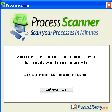
Free process listing for Windows system checks
- Lists all active processes on your system
- Free Windows-only utility for process monitoring
- Shows a complete snapshot of running tasks
- Useful for spotting what's active right now
Ideal for
- Windows admins on a budget
- Troubleshooting startup slowdowns
- Checking unknown background activity
Camera Controls
1 / 10Manual controls available: ISO, focus, exposure, timer, and pro settings.Capture Quality
1 / 10Quality of images or scans, including HDR, low-light, and OCR precision.Speed & Reliability
1 / 10Launch speed, shutter lag, autofocus speed, and overall stability.
Process Scanner keeps the job narrow and practical: it gives you a complete list of active processes in a free Windows utility. I’d use it for quick system checks, not deep diagnostics, since the source material points to monitoring rather than advanced control or capture tools.
Jay Ricson Biñas - 4.1
Blindscan speed for satellite signal hunters
- Blindscans satellite signals without manual setup
- Detects available channels and services quickly
- Supports multiple satellite configurations
- Returns detailed scan results for reception tuning
Ideal for
- Satellite hobbyists
- Professional installers
- Multi-setup reception checks
Speed & Reliability
6 / 10Launch speed, shutter lag, autofocus speed, and overall stability.Capture Quality
5 / 10Quality of images or scans, including HDR, low-light, and OCR precision.Camera Controls
4 / 10Manual controls available: ISO, focus, exposure, timer, and pro settings.
The tool’s strength is fast blindscanning with minimal configuration, which makes it practical for checking satellite reception and finding channels without a lot of setup time. It’s a solid fit for enthusiasts and professionals who value detailed results and broad configuration support over a polished capture-style workflow.
Jay Ricson Biñas - 4.5
A scan tower that adds utility without combat
- Scans flora and fauna like the bioscanner
- Unlocks through Alien Research level 1
- Costs 1 AI Core and 50 Energy to run
- Updated for Riftbreaker 2.0 and DLC3 support
Ideal for
- Base builders expanding their scan network
- Alien Research progression runs
- DLC3-compatible mod setups
Speed & Reliability
6 / 10Launch speed, shutter lag, autofocus speed, and overall stability.Capture Quality
5 / 10Quality of images or scans, including HDR, low-light, and OCR precision.Camera Controls
3 / 10Manual controls available: ISO, focus, exposure, timer, and pro settings.
The tower adds a neat scouting layer to Riftbreaker by turning a spare defense slot into a scanning tool, and its DLC3 support plus mod compatibility keep it practical. It is a niche pick, though, since it does no damage and only pays off if you value extra flora-and-fauna intel.
Jay Ricson Biñas