

Editor's choice
Windows Screensaver Software for Custom Displays
Update: Sep 7, 2026 · 356 apps reviewed
Windows screensaver software adds motion, ambience, or useful information to an idle display instead of leaving it blank. Some tools focus on visual flair with animated scenes, clocks, and photo slideshows, while others lean toward practical functions like system stats, notifications, or battery-friendly dark screens. The best options balance smooth performance, low CPU use, and easy customization, especially if you want something that looks good without interrupting work or draining power. Choice matters most if you use multiple monitors, manage a laptop, or want a screensaver that matches a specific mood or desktop theme. Explore top picks for Windows.
Top programs about Screensaver For Windows
Choose Softonic on Google and you'll see more of our articles in Top Stories, AI Overviews and AI Mode.
- 4.2
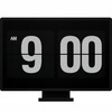
Fliqlo, by 9031, is a minimalist flip-clock screensaver that transforms an idle desktop into a high-contrast mechanical-style time display for users who want a…
- 4.3
6 reviews
Gamma Panel is a personalization tool developed by Stars.Benchmark.pl to easily modify your Windows desktop's gamma settings. With this software solution, you no longer…
- 3.9
57 reviews
In the old days, screensavers were an absolute necessity. Nowadays, however, screensavers aren’t needed anymore because of the use of LCD monitors, but they’re…
- 3.7
165 reviews
Musicstudio Professional (JetAudio Skin) is a free Windows application designed to personalize your desktop experience. It falls under the category of screen savers, allowing…
- 4.1
126 reviews
Screensavers do what they say on the tin: the moving pixels of the screensaver prevent static images getting burned onto the monitor itself. As…
- 3.9
6657 reviews
GTA: San Andreas Homeboys Screensaver can be a great idea for anyone who is still a fan of this fast-paced 2004 game. The screen…
- 4.1
8 reviews




Frequently asked questions (FAQs) about this topic
Do Windows screensavers still work on modern PCs?
Yes, screensavers still work on modern Windows systems, although many users now rely on power-saving display settings instead. They are still useful for visual customization, privacy, and idle-time information panels. Availability and setup can vary slightly by Windows version.
Can a screensaver slow down my computer?
It can if the animation is heavy, uses high-resolution media, or runs extra effects in the background. Lightweight screensavers are usually fine on most PCs and laptops. If you notice fan noise or lag, choose a simpler option with lower CPU and GPU usage.
Are photo slideshow screensavers a good choice?
Yes, especially if you want a personal idle display built from your own images. They work best when they support folder selection, transition controls, and image scaling without distortion. The main drawback is that poorly optimized slideshows can feel sluggish on older hardware.
Can I use a screensaver on multiple monitors?
Many screensavers support multi-monitor setups, but not all of them handle each display in the same way. Some mirror the same animation across screens, while others use a single primary display. Check for dual-monitor support if your workspace uses more than one screen.