Editor's choice

4.7
27 reviews
Super Mario Bros. Wonder is the latest 2D platformer marking the return of the beloved sidescrolling Mario games after a decade-long hiatus. This pay-to-play…
Update: Sep 7, 2026 · 114 apps reviewed
Side-scrolling games turn movement into a rhythm of running, jumping, fighting and timing your next move. The format covers everything from classic platformers and beat-'em-ups to modern indie adventures with pixel art, precision controls and clever level design. Strong options balance responsive input, readable hazards and a steady difficulty curve, while the best ones add secrets, replay value and memorable boss fights. Choose based on whether you want fast arcade action, exploration-heavy stages or a retro challenge that rewards perfect execution. Good side-scrollers make every screen feel like a compact test of skill.
27 reviews
Super Mario Bros. Wonder is the latest 2D platformer marking the return of the beloved sidescrolling Mario games after a decade-long hiatus. This pay-to-play…
Choose Softonic on Google and you'll see more of our articles in Top Stories, AI Overviews and AI Mode.
Planet of Lana II is a side-scrolling, sci-fi adventure game that expands its saga across centuries. The characters confront a new ancient mystery from…
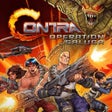
Contra: Operation Galuga is a revitalized entry in the legendary Contra series, a reimagining of the classic arcade run-'n'-gun action game from the 1980s.…
Platypus Reclayed is a premium action game developed by Claymatic Games. It is a remake of the classic 2D side-scrolling shooter adventure Platypus, originally…
3 reviews
Rain World: Downpour is a 2D side-scrolling adventure game requiring users to traverse through and interact with various mythical environments. Throughout the game, you…
Nostalgia & Authenticity
Core Gameplay Loop
Score & Progression Systems
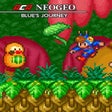
The size-changing mechanic gives this old-school SNK release a sharper twist than a standard run-and-gun, and the branching stages keep it worth replaying. It suits players who want authentic arcade-era action on Switch, though the appeal stays tightly focused on retro challenge and repetition.
Nostalgia & Authenticity
Core Gameplay Loop
Score & Progression Systems
The draw here is how faithfully it channels 90s side-scrolling beat ’em ups, with fast fights, branching routes, and plenty of reasons to replay. I’d recommend it to arcade fans who want tight combat and unlock-heavy progression, though its challenge depends on learning your character and handling tough enemies.
Scott Pilgrim EX is an action game where Scott, Ramona, and their friends fight vegans, robots, and demons across a fractured version of Toronto,…