Editor's choice
4.2
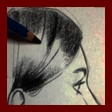
A face sketch is a portrait that is drawn or painted with the goal of creating an accurate representation of the subject. This is…
Update: Sep 7, 2026 · 100 apps reviewed
Sketch apps are built for quick drawing, rough composition, and turning ideas into visual drafts before they become finished artwork. The best tools balance a natural pen feel with responsive brushes, layers, undo history, and easy canvas controls, so you can move from thumbnail to concept without friction. Some are ideal for tablet-based freehand sketching, while others focus on vector precision, calligraphy, or note-style handwriting. Choosing well means thinking about stylus support, export formats, and how much control you need over linework, color, and organization.
A face sketch is a portrait that is drawn or painted with the goal of creating an accurate representation of the subject. This is…
Get our latest tech news first, wherever you read.
1 reviews
Brush & Drawing Engine
Canvas & Layer Management
Creative Workflow
Sketch Board keeps the focus on fast sketching with a clean canvas and basic tools, so it works well for quick notes and simple visual ideas. I’d skip it if you need layers, advanced editing, or collaboration, but it does the job for lightweight personal drawing.
13 reviews
Autodesk SketchBook is a free multiplatform program (also available for Windows), that belongs to the category Multimedia with subcategory Graphic & Design and…
The Trace to Sketch app is a revolutionary tool for artists of all levels to unlock their creativity and explore new artistic possibilities. This…
1 reviews
Jotr is a no-fuss, easy-to-use drawing app that allows you to quickly jot, draw, sketch or write on your Android device. Unlike other drawing…
1 reviews
The Buxton Sketch font family is made up of one style: Regular. This typeface supports Latin, Cyrillic, Greek, and other scripts. It is also…
8 reviews
Brush & Drawing Engine
Creative Workflow
Canvas & Layer Management
The tool leans on simple sketch conversion with useful extras like brush resizing, preview rotation, and built-in canvas designs. I’d recommend it for casual photo-to-sketch edits, but the crash reports are a real drawback if you need a stable drawing workflow.
Sketch Pro is a drawing application that offers the most realistic tools and advanced features, packaged in a minimalistic and intuitive interface. With a…