

Editor's choice
Free SMS Messaging Tools for Windows PCs and Laptops
Update: Sep 7, 2026 · 14 apps reviewed
Free SMS messaging tools for Windows let you send text messages from your computer instead of reaching for your phone. The best options balance convenience with reliability, offering quick typing, contact syncing, message history and, in some cases, support for scheduled or bulk sending. Some tools work through a connected phone, while others rely on online SMS gateways or desktop clients tied to a messaging service. When choosing one, look at delivery limits, privacy settings and whether the app is designed for personal texting, business alerts or light communication across devices. Explore top picks for Windows.
Top programs about Sms Messaging Free For Windows
Choose Softonic on Google and you'll see more of our articles in Top Stories, AI Overviews and AI Mode.
- 4.3
GSM Mobile Messaging Software is a free program designed for Windows users. Developed by GSM Mobile Messaging Software, it falls under the category of…
- 4.9
Wanadoo sMs is a free program for Windows developed by Wanadoo. This software falls under the category of 'Chat & Instant Messaging,' offering users…
- 3
21 reviews
- 3.4
13 reviews
Mobilator is a handy, free software only available for Windows, that is part of the category Home & hobby software with subcategory Jokes &…
- 4.2
Foto SMS is a free utility application designed for Windows that simplifies the process of sending photos via SMS. This user-friendly tool allows users…
- 4.8
Bulk texting for Android-based outreach campaigns
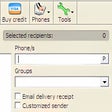
- Sends bulk SMS messages from a Windows desktop
- Targets Android mobile messaging workflows
- Built for chat-style outreach and instant replies
- Free to use for large-scale message sending
Ideal for
- Small businesses handling customer alerts
- Teams sending Android-based notifications
- Free bulk outreach from a Windows PC
Communication Quality
4 / 10Message delivery, voice and video call clarity, and reliability across networks.Feature Richness
3 / 10File sharing, voice messages, reactions, stickers, and screen sharing.Privacy & Security
3 / 10End-to-end encryption, two-factor auth, and data collection practices.
The tool is clearly aimed at high-volume SMS outreach from a Windows machine, with Android mobile messaging as its main workflow. It suits teams that need broad message delivery more than call features or privacy extras, since the source material does not spell out those capabilities.
Anthony John Padilla


Frequently asked questions (FAQs) about this topic
Can I send SMS from my Windows PC for free?
Yes, but the setup depends on the tool. Some apps mirror your phone and let you text through your mobile number, while others use free tiers with sending limits. Always check whether the service includes carrier charges or message caps.
Do free SMS messaging tools need a phone connected?
Some do and some don't. Phone-linked tools usually offer the smoothest experience because they use your existing number and contacts. Standalone desktop tools may work without a phone, but they often depend on an internet-based service or account.
Are free SMS apps for Windows safe to use?
They can be, as long as you choose reputable software with clear privacy terms. Be cautious with tools that ask for unnecessary permissions or hide message-routing details. For sensitive conversations, local syncing and end-to-end encryption are important features to look for.
Can I schedule SMS messages on Windows?
Many messaging tools include scheduling, but it is not guaranteed in free versions. If timing matters, check whether the app supports delayed delivery, recurring messages or queue management. Business-focused tools are more likely to include these features.