Typing Games for Faster, More Accurate Keyboard Skills

Update: Sep 7, 2026 · 229 apps reviewed

Typing games turn keyboard practice into a fast-paced challenge instead of repetitive drills. The best ones balance speed, accuracy, and rhythm, helping players build muscle memory while staying engaged through levels, scores, and time trials. Some focus on beginners learning home-row placement, while others push advanced users with longer words, punctuation, and accuracy penalties. When choosing a typing game, look for clear feedback, adjustable difficulty, and modes that match your goals, whether that means classroom practice, daily speed building, or making typing feel less like work.

Alyssa Lavinia Dellosa

Alyssa Lavinia Dellosa

Product Information Specialist

Filipina Product Information Specialist with a background in Education. Alyssa makes technology accessible through technical blogs, editorial proofreading, and social media content, helping users navigate digital products with ease.

Top programs about Typing Games

  • Editor's choice
    4.1

    2905 reviews

    Bilingual typing drills with progress tracking

    • Practice English and Hindi typing drills
    • Progress from words to sentences and character groups
    • Track typing speed and accuracy over time
    • Print performance stats for records or job use

    Ideal for

    • English-Hindi office typists
    • Typing test preparation
    • Printable performance reports
    • Skill Development Path

      7 / 10
    • Content Authority

      5 / 10
    • Search & Navigation

      5 / 10
    The strongest point here is the bilingual training path, with exercises that move from basic words to more complex text and built-in speed and accuracy tracking. It stays focused, but the two-language limit makes it a narrower pick than broader typing tutors.

    Alyssa Lavinia Dellosa
  • Choose Softonic on Google and you'll see more of our articles in Top Stories, AI Overviews and AI Mode.

  • 4.1

    3155 reviews

    Progressive typing drills with custom lesson building

    • Two courses and four keyboard-focused lessons
    • Guides finger placement across the full keyboard
    • Tracks WPM, accuracy, and keys per minute
    • Builds custom lessons in supported languages

    Ideal for

    • Classroom typing practice
    • Multilingual keyboard layouts
    • Parents building custom drills
    • Skill Development Path

      7 / 10
    • Content Authority

      5 / 10
    • Search & Navigation

      5 / 10
    The strongest part of RapidTyping is its structured path from repeating characters to harder keyboard sections, backed by clear WPM, accuracy, and KPM reporting. I’d recommend it for learners and instructors who want customizable typing drills, but the lack of sentence and paragraph tasks limits how far it can take advanced practice.
    Alyssa Lavinia Dellosa
  • 4.5

    62 reviews

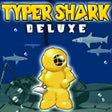
    Typing drills wrapped in a deep-sea challenge

    • Tutor Mode tests typing speed and accuracy before play
    • Adventure mode tracks WPM, errors, and milestones
    • Abyss mode ramps difficulty with endless boss battles
    • Real-time typing feedback highlights completed words

    Ideal for

    • PC typing practice at home
    • Self-paced skill drills
    • Old-school educational game fans
    • Search & Navigation

      6 / 10
    • Skill Development Path

      6 / 10
    • Content Authority

      5 / 10
    The tutor phase gives this old PC title real value for building typing fundamentals, with clear scoring for speed, accuracy, and progress. Its dated visuals and lack of updates are obvious, but the smooth gameplay and addictive sound make it an easy pick for anyone who wants practice without a sterile drill sheet.
    Alyssa Lavinia Dellosa
  • 2.6

    8 reviews

    Gamified typing practice with progress you can chase

    • Turns typing practice into a word game
    • Supports game, device, USB, and Bluetooth keyboards
    • Adds spells, achievements, and a Hall of Fame
    • Tracks your progress through leaderboard rankings

    Ideal for

    • Students after class drills
    • Home users on mixed keyboards
    • Achievement hunters and leaderboard fans
    • Skill Development Path

      6 / 10
    • Content Authority

      5 / 10
    • Search & Navigation

      5 / 10
    The game-first approach makes Typing Master stand out as a skills app that keeps practice from feeling repetitive. It rewards steady use with achievements and rankings, but the typing gains depend on how much time you put in and how much room you have to improve.
    Alyssa Lavinia Dellosa
  • 3.9

    62 reviews

    Focused typing practice for Windows learners

    • Typing drills built around Bruce's unusual lesson set
    • Practice sessions that reinforce keyboard speed and accuracy
    • Free Windows-only access for at-home study
    • Typing-focused reference and skills training in one place

    Ideal for

    • Windows learners at home
    • School typing lab practice
    • After-school keyboard drills
    • Skill Development Path

      6 / 10
    • Content Authority

      5 / 10
    • Search & Navigation

      5 / 10
    Bruce's Unusual Typing Wizard keeps the focus on typing practice rather than broad reference content, so it suits learners who want a dedicated drill tool on Windows. The trade-off is its narrow scope: it is useful for building keyboard skills, but not for searching or managing a wider study library.
    Alyssa Lavinia Dellosa
  • 4.4

    51 reviews

    Animalese typing with pitch and voice control

    • Eight Animalese voice options, split across male and female voices
    • Adjust pitch and intonation to tune the typing voice
    • Trigger musical notes on number keys and special sounds on symbols
    • Mute special-character effects and keep capital letters more expressive

    Ideal for

    • Animal Crossing fans on desktop
    • Browser typing with sound effects
    • Custom voice pitch and intonation
    • Content Authority

      5 / 10
    • Search & Navigation

      5 / 10
    • Skill Development Path

      5 / 10
    The extension turns ordinary browser typing into Animalese with enough control to keep the gimmick from feeling one-note, thanks to eight voices plus pitch and intonation tweaks. The trade-off is repetition: the sounds can get distracting if you leave the effects running for long sessions.
    Alyssa Lavinia Dellosa
  • 3.3

    8 reviews

    Timed typing drills with multilingual practice

    • Practice by characters, words, numbers, or sentences
    • Set timed tests from 1 minute up to 60 minutes
    • Choose easy, medium, or hard difficulty levels
    • Track speed history and leaderboard rankings

    Ideal for

    • Language learners building typing fluency
    • Keyboard users training for speed tests
    • Profile-based leaderboard competition
    • Search & Navigation

      6 / 10
    • Skill Development Path

      6 / 10
    • Content Authority

      5 / 10
    The app’s strength is its mix of practice modes and timed tests, with enough structure to track real progress over time. The limited language selection keeps it from feeling broad, but the physical keyboard support and history tracking make it useful for steady typing practice.
    Alyssa Lavinia Dellosa

Frequently asked questions (FAQs) about this topic

Are typing games actually good for improving speed?

Yes, as long as they reward accuracy as much as raw speed. Repeated practice builds muscle memory, which helps your fingers move more automatically over time. The best games also expose weak keys and common mistakes so you can improve efficiently.

What should a good typing game include?

A good typing game should give instant feedback, track words per minute, and show accuracy clearly. Adjustable difficulty matters too, especially if you are moving from basic letter drills to full sentences. Extra modes like timed challenges or lesson paths make practice more useful.

Are typing games suitable for kids and beginners?

Yes, many are designed to teach key placement, finger positioning, and simple word recognition in a playful way. The best beginner options keep sessions short and avoid overwhelming users with long passages too early. For kids, visual cues and simple progression help keep motivation high.

Do typing games help with touch typing?

They can, especially if they encourage using the correct fingers instead of hunting and pecking. Touch typing improves when the game rewards accuracy and consistency, not just speed. Look for lessons that gradually introduce new keys rather than random word lists.
Signed in to Softonic as