Typing Games for Windows to Improve Speed and Accuracy

Update: Sep 7, 2026 · 52 apps reviewed

Typing games for Windows turn keyboard practice into fast-paced drills that build muscle memory, accuracy and rhythm. The best options balance fun challenges with measurable progress, so you can track words per minute, reduce errors and stay motivated long enough to improve. Some focus on speed runs and reaction tests, while others add story modes, arcade mechanics or classroom-friendly exercises. When choosing one, look for clear feedback, adjustable difficulty, and lessons that match your current skill level rather than overwhelming you with advanced drills too soon. Explore top picks for Windows.

Alyssa Lavinia Dellosa

Alyssa Lavinia Dellosa

Product Information Specialist

Filipina Product Information Specialist with a background in Education. Alyssa makes technology accessible through technical blogs, editorial proofreading, and social media content, helping users navigate digital products with ease.

Top programs about Typing Games For Windows

  • Editor's choice
    4.1

    3155 reviews

    Progressive typing drills with custom lesson building

    • Two courses and four keyboard-focused lessons
    • Guides finger placement across the full keyboard
    • Tracks WPM, accuracy, and keys per minute
    • Builds custom lessons in supported languages

    Ideal for

    • Classroom typing practice
    • Multilingual keyboard layouts
    • Parents building custom drills
    • Skill Development Path

      7 / 10
    • Content Authority

      5 / 10
    • Search & Navigation

      5 / 10
    The strongest part of RapidTyping is its structured path from repeating characters to harder keyboard sections, backed by clear WPM, accuracy, and KPM reporting. I’d recommend it for learners and instructors who want customizable typing drills, but the lack of sentence and paragraph tasks limits how far it can take advanced practice.
    Alyssa Lavinia Dellosa
  • Choose Softonic on Google and you'll see more of our articles in Top Stories, AI Overviews and AI Mode.

  • 4.5

    62 reviews

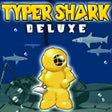
    Typing drills wrapped in a deep-sea challenge

    • Tutor Mode tests typing speed and accuracy before play
    • Adventure mode tracks WPM, errors, and milestones
    • Abyss mode ramps difficulty with endless boss battles
    • Real-time typing feedback highlights completed words

    Ideal for

    • PC typing practice at home
    • Self-paced skill drills
    • Old-school educational game fans
    • Search & Navigation

      6 / 10
    • Skill Development Path

      6 / 10
    • Content Authority

      5 / 10
    The tutor phase gives this old PC title real value for building typing fundamentals, with clear scoring for speed, accuracy, and progress. Its dated visuals and lack of updates are obvious, but the smooth gameplay and addictive sound make it an easy pick for anyone who wants practice without a sterile drill sheet.
    Alyssa Lavinia Dellosa
  • 3.8

    778 reviews

    Structured typing drills with progress tracking

    • Progressive lessons for beginners through advanced typists
    • Interactive typing tests to measure speed and accuracy
    • Custom exercises using texts of your choice
    • Detailed performance stats to spot weak areas

    Ideal for

    • Students building keyboard fluency
    • Self-paced home practice
    • Progress tracking over time
    • Skill Development Path

      8 / 10
    • Search & Navigation

      6 / 10
    • Content Authority

      5 / 10
    Rapid Typing Tutor focuses on steady skill building rather than flashy extras, with lessons, tests, and custom practice that make it useful for keyboard training. The free Windows-only package is strongest when you want measurable improvement over time, though its value comes from practice depth rather than broad reference content.
    Alyssa Lavinia Dellosa
  • 3.9

    20 reviews

    Progress-tracked typing practice with a simple lesson path

    • Tracks your progress as you build typing skill
    • Guided tutorial keeps each lesson easy to follow
    • Starts from zero, with no existing skill required
    • Condenses training into about five hours total

    Ideal for

    • Self-taught beginners
    • Daily practice in short sessions
    • Skill tracking for typists
    • Skill Development Path

      7 / 10
    • Search & Navigation

      6 / 10
    • Content Authority

      5 / 10
    Typing Magic puts progress tracking and a guided lesson path front and center, so it works best for people who want a structured route into touch typing. The trade-off is limited replay value and the occasional glitch, plus the dull interface makes it feel more functional than engaging.
    Alyssa Lavinia Dellosa
  • 5

    1 reviews

    Fast-paced word duels with escalating pressure

    • Last-man-standing rounds built around sentence prompts
    • Shrinking turn timers raise the vocabulary challenge
    • Public rooms support up to 100 players at once
    • Private matches let up to 8 friends compete together

    Ideal for

    • Competitive word-game fans
    • Global tournament participants
    • Friends hosting a game night
    • Content Authority

      5 / 10
    • Search & Navigation

      5 / 10
    • Skill Development Path

      5 / 10
    The real draw here is the escalating pressure: Final Sentence turns vocabulary play into a fast, competitive elimination format with strong social features. It rewards quick thinking and a deep word bank, but the stress-heavy pacing makes it a poor fit for anyone who wants a relaxed reference or skills app.
    Alyssa Lavinia Dellosa
  • 4.7

    Typing battles with a silly platforming twist

    • Type attack words like "hit" and "heal" to act
    • Use Alt and Ctrl for alternate attacks
    • Face platform hazards like windmills and lighthouses
    • Practice speed and accuracy through combat input

    Ideal for

    • Typing drill with game-like pressure
    • Students building keyboard accuracy
    • Casual practice between lessons
    • Skill Development Path

      6 / 10
    • Search & Navigation

      5 / 10
    • Content Authority

      4 / 10
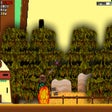
    Keyboard Warrior turns typing drills into a goofy platform game, so the repetition feels less like homework and more like a challenge. The trade-off is that its learning value is tied to the game loop, but it still gives students a lively way to build speed and accuracy.
    Alyssa Lavinia Dellosa
  • 3

    7 reviews

    Focused typing drills with live speed and accuracy stats

    • Practice letters and symbols in supported layouts
    • Track typing speed with letters-per-minute metrics
    • Review time spent and precision after each session
    • Toggle case-sensitive practice and visible statistics

    Ideal for

    • Students building keyboard fluency
    • Self-paced home practice sessions
    • Letter-and-symbol drill routines
    • Skill Development Path

      6 / 10
    • Content Authority

      5 / 10
    • Search & Navigation

      5 / 10
    The tool keeps typing practice focused with layout options, clear metrics, and case-sensitive drills that help you measure progress session by session. Its narrow scope is the trade-off: it stops at letters and symbols, so it won't train full words or sentences.
    Alyssa Lavinia Dellosa
  • 4.4

    7 reviews

    Two typing games for beginner skill building

    • Bomb Dropper drills key matching with falling lettered bombs
    • Air War turns keyboard memorization into plane controls
    • Two difficulty levels support early typing practice
    • Simple game formats keep the focus on speed and accuracy

    Ideal for

    • New typists at home
    • Keyboard layout memorization
    • Short practice sessions
    • Skill Development Path

      6 / 10
    • Content Authority

      5 / 10
    • Search & Navigation

      5 / 10
    The strength here is its straightforward two-game setup: one drills single-key reactions, and the other pushes keyboard memorization a step further. The trade-off is that both games are limited, and Bomb Dropper’s visuals are very basic, so it works best as a light practice tool rather than a full typing course.
    Alyssa Lavinia Dellosa

Frequently asked questions (FAQs) about this topic

Are typing games effective for learning to type faster?

Yes, especially when they reward accuracy as much as speed. Repetition helps build finger memory, while timed drills train you to keep a steady rhythm. The best games also show progress so you can see whether your WPM and error rate are improving.

Can typing games help with touch typing?

They can, if the game encourages using all fingers instead of hunting and pecking. Look for lessons that introduce home-row placement, short practice sessions and gradual difficulty increases. Games that only reward random speed are less useful for learning proper technique.

Do typing games for Windows work for beginners?

Many are designed for beginners and start with basic key recognition before moving to full sentences. The most useful ones let you slow the pace, repeat lessons and focus on accuracy first. That makes them suitable for children, students and adults starting from scratch.

What should I look for in a good typing game?

Clear feedback, adjustable difficulty and a good balance between challenge and repetition matter most. Progress tracking is useful if you want to improve over time, while varied modes help prevent practice from feeling repetitive. A clean interface also makes it easier to focus on the keyboard.
Signed in to Softonic as