
How To
How to Submit an Assignment in Google Classroom in 7 Easy Steps


- May 5, 2021
- Updated: July 2, 2025 at 4:07 AM
So, you have received an assignment on Google Classroom on Windows, Mac, Android, or iPhone/iPad from your teacher that you need to submit? But how do you submit it?
How to Submit an Assignment in Google Classroom
Step 1: Open Google Classroom
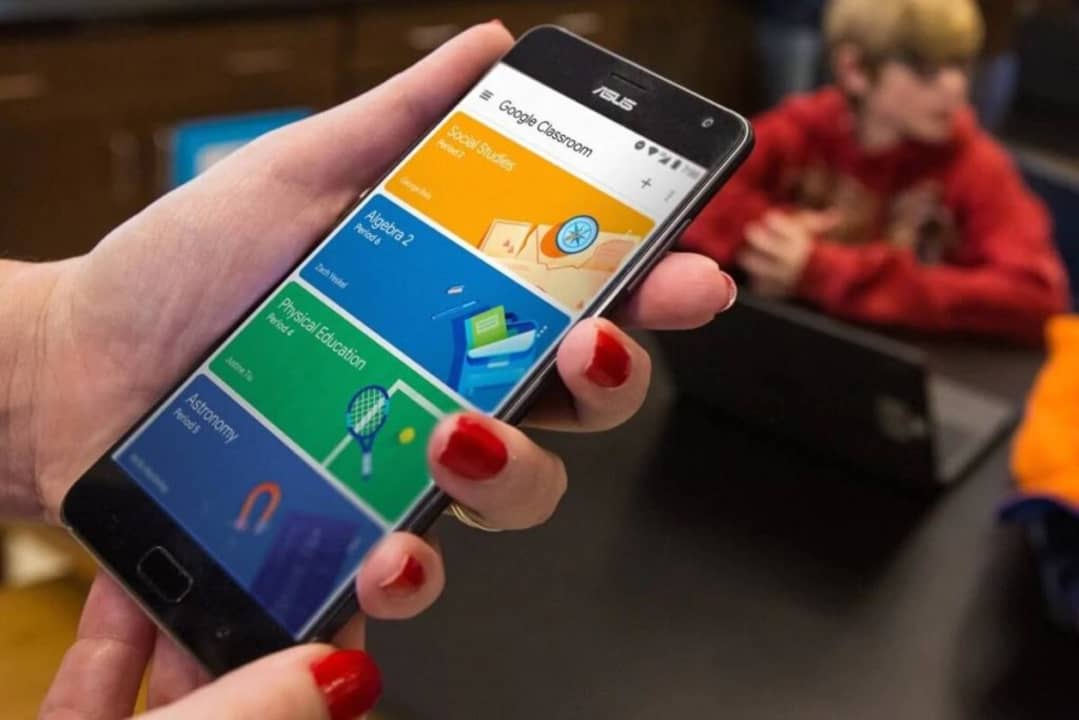
Open Google Classroom on your chosen device and log in to your account. If you do not have the program or app installed on your device, you can also use the web-based version by logging in at classroom.google.com.
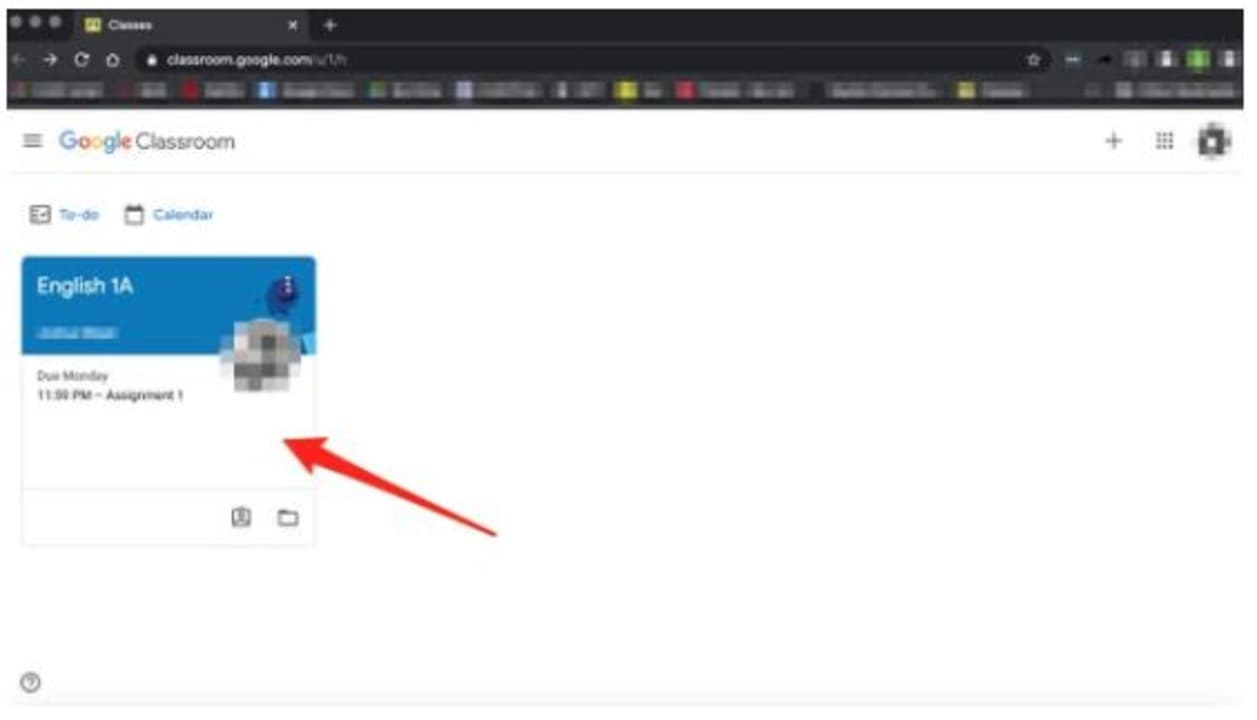
Step 2: Choose Your ‘Class’
On the left-hand side, choose your class. All the classes that you are enrolled in will be listed here.
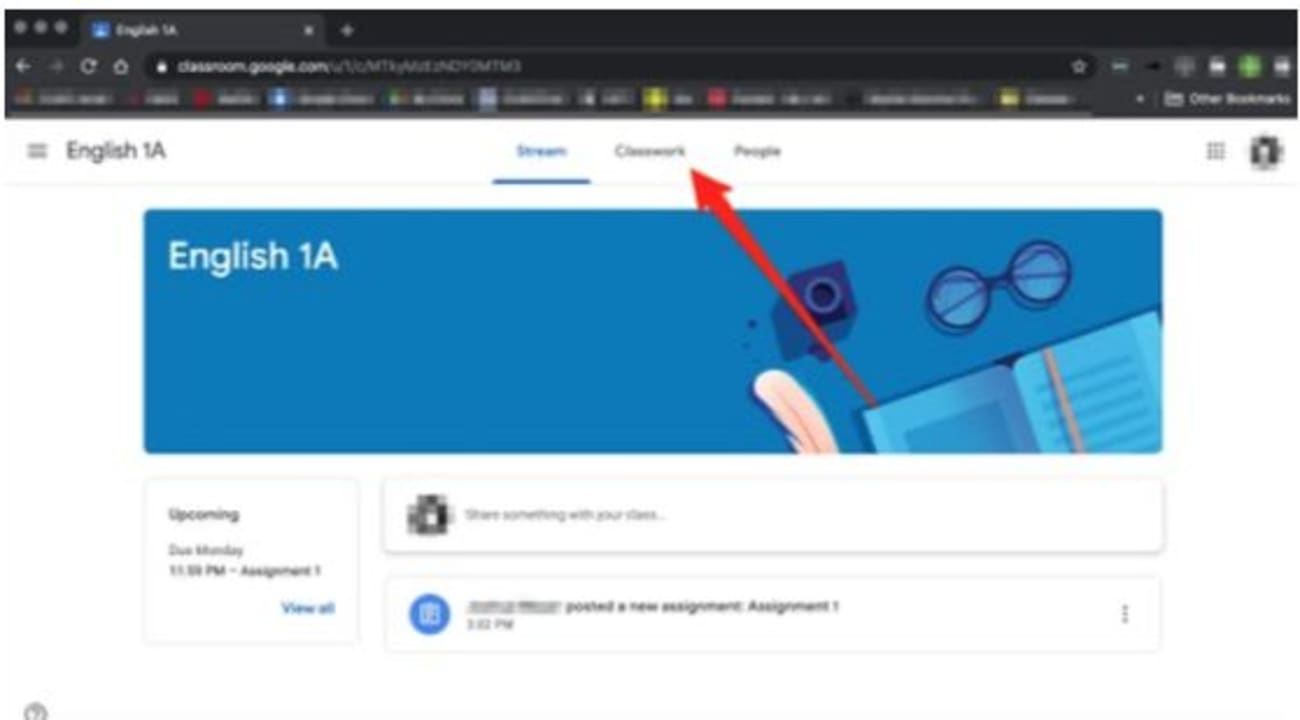
Step 3: Choose ‘Classwork’
Right at the top of the screen, click on ‘Classwork.’
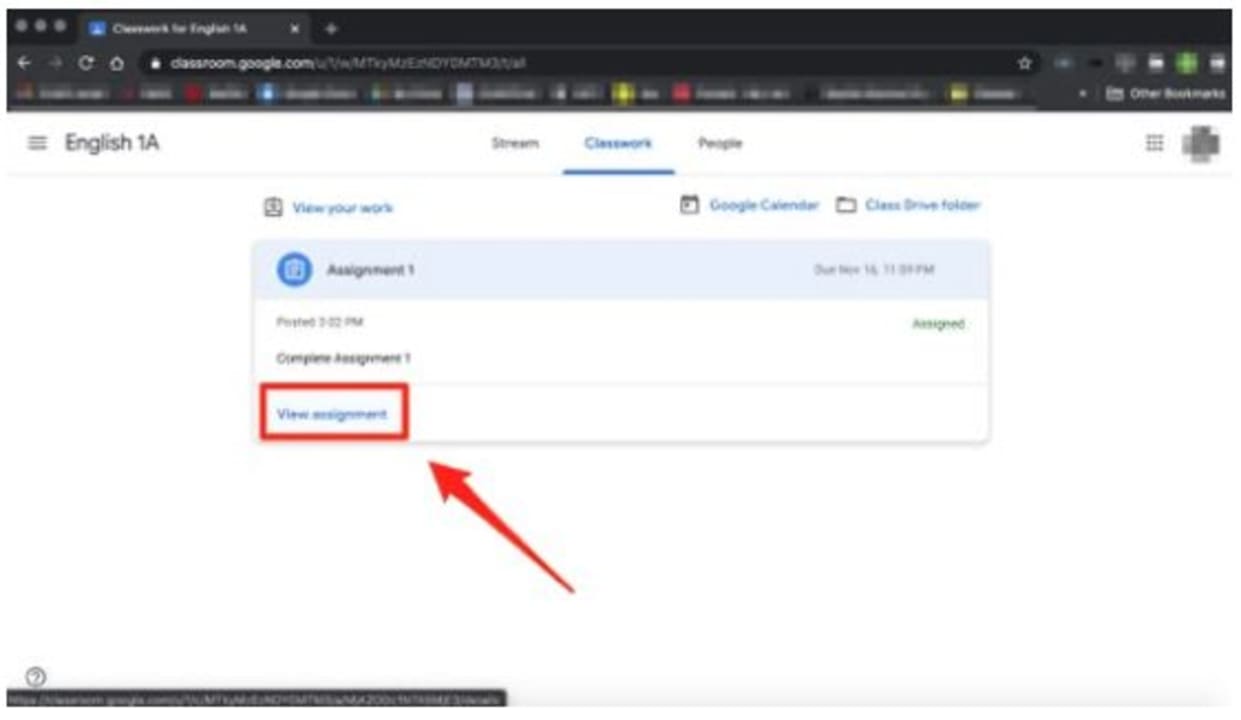
Step 4: Click on ‘Assignment’
Now you will see the open assignments for that class. Click on the assignment you are ready to submit, and then click on ‘View Assignment.’
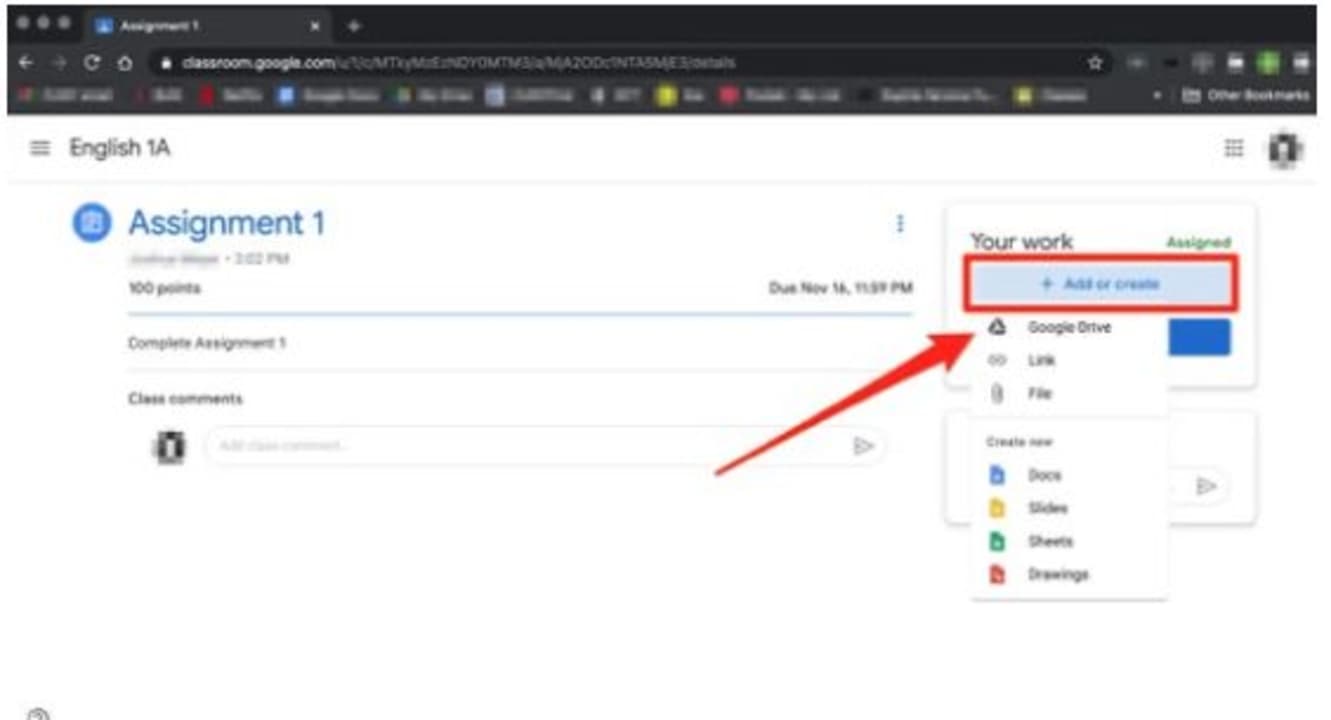
Step 5: Below ‘Your Work’ Click on ‘Add or Create’
To the right of your screen will be a section titled ‘Your Work,’ from here, click on ‘Add or Create’ to upload an image, video, document, or slide.
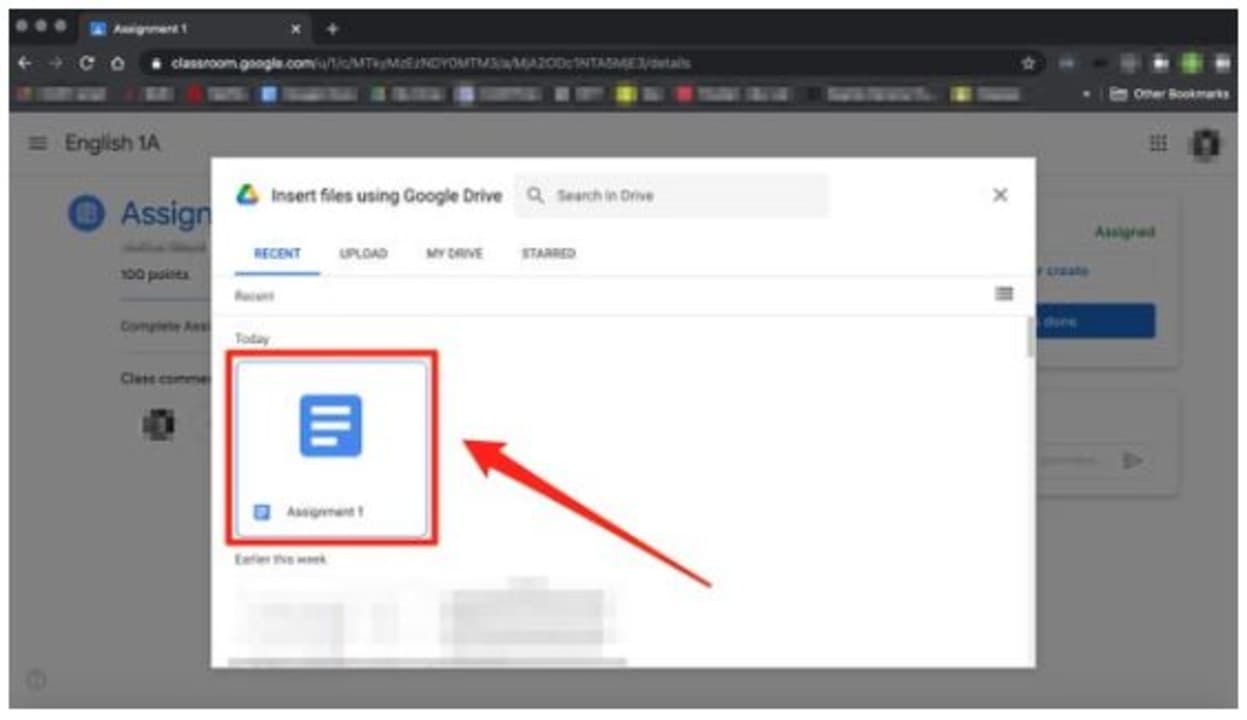
Step 6: Upload Your Assignment
You can upload your assignment now. Choose the file you want to upload. It is good to know that it is the easiest to upload from Google Drive as the two programs are linked.
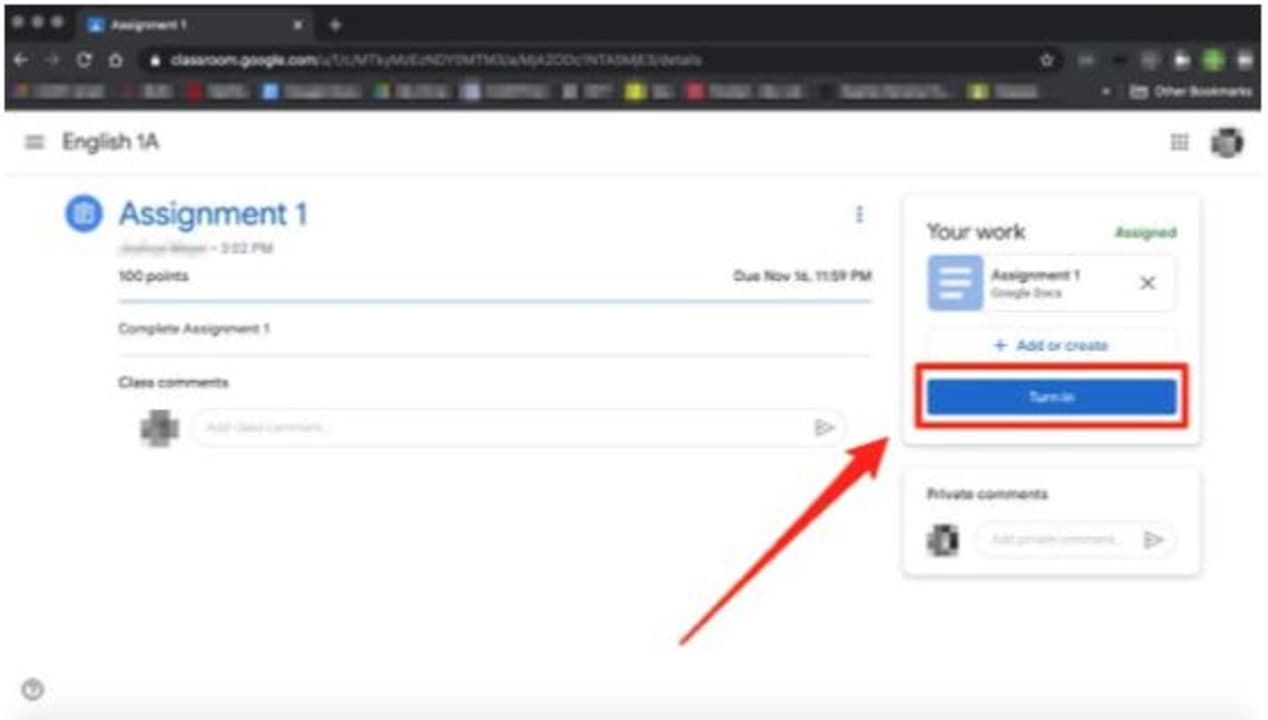
Step 7: Click on ‘Turn In’ or ‘Mark as Done
Now, to complete the process click on the ‘Turn In’ or ‘Mark as Done’ button below the assignment you just uploaded.
Knowledge Is Power
Learning and studying are precious, and with easy-to-use programs like Google Classroom, it just became fun as well. It is so easy to submit assignments that you have no excuse for them being late.
Latest from Shaun M Jooste
You may also like
 News
NewsEmily in Paris is renewed for a sixth season after the success of the fifth
Read more
 News
NewsBrandon Sanderson confirms that an AAA video game of Mistborn could be much closer than we think
Read more
 News
NewsKristen Stewart wants to direct a remake of the franchise that catapulted her to fame
Read more
 News
NewsThe creators of the indie Minecraft claim that they are going to revolutionize the procedural world generation system
Read more
 News
NewsAvatar: Fire and Ashes takes the Korean box office by storm in 2026
Read more
 Article
A Greener Web and Cleaner Oceans: Why So Many Are Switching to Wave Browser
Read more