
How To
Why doesn’t uTorrent open?

- February 25, 2016
- Updated: July 2, 2025 at 7:04 AM
Why doesn’t uTorrent open por softonic-en
You’ve just installed uTorrent and restarted your computer, but the program won’t open. We know, it’s so irritating! But why does it happen? Usually, by double-clicking on the desktop uTorrent icon, the program should open. However, sometimes, this doesn’t work.
Once uTorrent is installed, it should open automatically when you start Windows and remain minimized in the system tray. Because of this, it sometimes seems like the program won’t open, when in fact it’s already running. This happens because the program’s settings are designed by default to resume downloads as fast as possible when you turn on your computer without having to open the program.
To ensure that uTorrent is open, first locate the uTorrent icon in the system tray, which should be next to the Windows clock.
Once you’ve located the uTorrent icon, double click to open it. uTorrent will open and you’ll be able to use it.
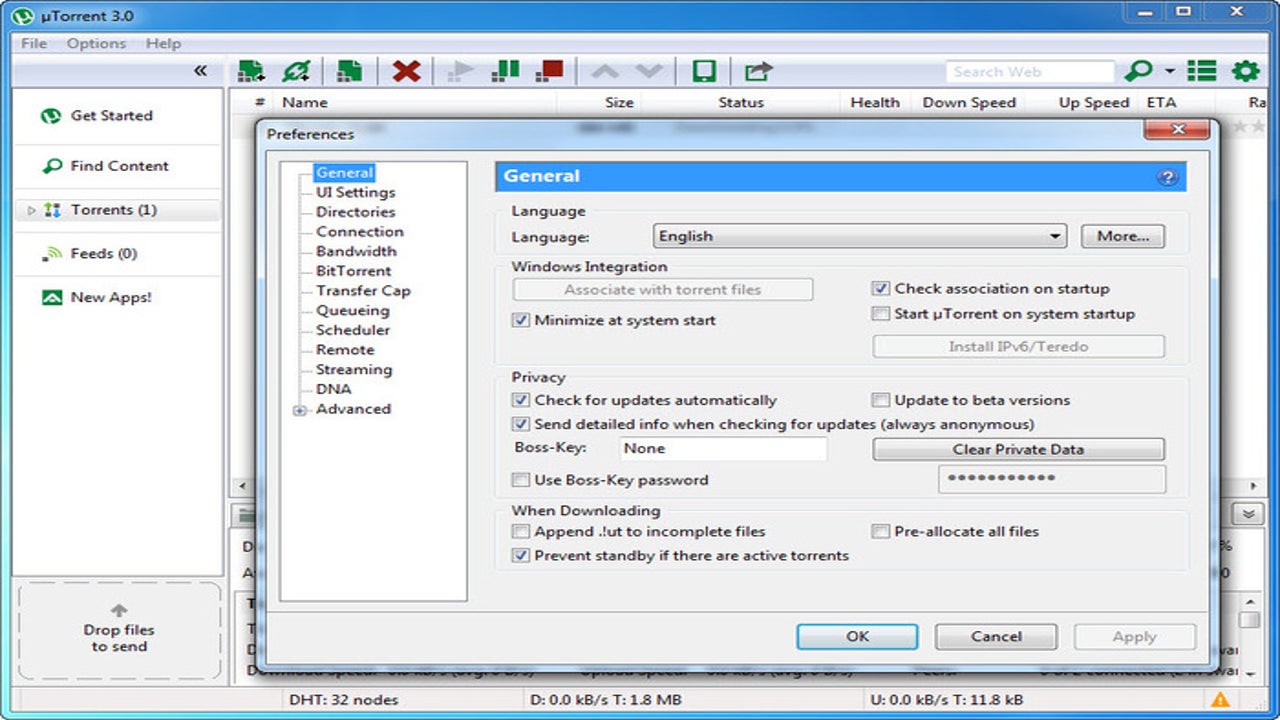
If you do not want uTorrent to open automatically when Windows starts, open the program, click on “Options“, and go to “Preferences“. In the “General” tab, find the option “Start uTorrent when Windows starts“. Then, all you need to do is to unmark this option to avoid uTorrent opening when you turn on your computer.
To close uTorrent, right-click on the icon in the system tray and select “Exit“.
uTorrent has many settings, so you might want you take a look at them and choose those that fit your needs!
You may also like
 News
NewsEven the Louvre Failed at Cybersecurity — Here’s How You Can Do Better
Read more
 News
NewsAI has been responsible for 50,000 layoffs in 2025: what can we expect in 2026?
Read more
 News
NewsValve will stop producing one of its most popular models of Steam Deck
Read more
 News
NewsA Korean thriller that promises to take over this Christmas arrives on Netflix unexpectedly
Read more
 News
NewsThis Transformers game will disappear from Steam at the end of the year, but you can buy it at a ridiculous price before that happens
Read more
 News
NewsOne of the great directors in the history of cinema has passed away
Read more