3DS Emulator Software for Smooth Portable Play
Update: Sep 7, 2026 · 8 apps reviewed
3DS emulators recreate Nintendo's dual-screen handheld experience on PCs and other devices, letting you run compatible games with sharper visuals and flexible controls. The best options balance accuracy, speed and save-state support, while also handling touch input, controller mapping and screen layout without making setup a chore. Performance can vary a lot depending on your hardware, so compatibility and stability matter as much as raw speed. A strong 3DS emulator should make games feel responsive, preserve audio and graphics properly, and give you enough options to fine-tune the experience for casual play or serious testing.
Top programs about 3ds Emulator
- Editor's Choice2
1 reviews
MegaZ 3DS Emulator taps into the nostalgia of playing classic Game Boy Advance and 3DS games, bringing those cherished memories to smartphones and tablets.…
- 3.5
2 reviews
Lime3DS is a free, open-source Nintendo 3DS emulator designed for Android devices. Forked from the popular Citra emulator, it offers a range of features…
- Free Download for Windows
Other platforms
21 reviews
Azahar Emulator is a free and open-source Nintendo 3DS emulator designed to replicate the experience of popular emulators like Citra. With a user-friendly interface,…
- 4.9
Citro is a free and fast emulator for GameBoy 3DS and Advanced games. This is the best way to play your favorite games on…
- 4
2 reviews
33DDSS Emulator is a free Android application developed by Infinity Cinemas S.P.A. It is a 3DS emulator that allows users to play 3DS games…
- 5
1 reviews
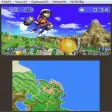
Dual-screen 3DS emulation with broad ROM support
- Runs Nintendo 3DS games on a PC screen
- Simulates the console's signature dual-screen layout
- Lets you open local ROM files from device storage
- Supports a wide range of games, but not newer releases
Ideal for
- Retro handheld enthusiasts
- Local ROM library playback
- Desktop couch gaming setup
Compatibility Breadth
6 / 10Range of apps or games that run correctly, and platform versions supported.Configuration & Control
5 / 10Customization: CPU/RAM allocation, resolution, input mapping, and device profiles.Integration & Ecosystem
5 / 10File sharing between host and guest, Play Store access, and multi-instance support.
The big draw here is authentic dual-screen 3DS emulation on a computer, with local file browsing that keeps your game library in one place. I like the broad compatibility for older titles, but newer 3DS games remain a clear limitation.
Gerard Patrick Cadiang - 4.3
Gemu: 3DS Emulator, from PT. GAYA HIDUP BERSAMA, brings Nintendo 3DS emulation to Android devices to recreate handheld play on phones and tablets. It…
- 4.3
4 reviews
Mobile 3D emulation with gamepad-ready controls
- Runs hundreds of games on Android 9.0 devices
- Resolution scaling and texture filtering boost visuals
- Supports external gamepads for more precise control
- Uses camera, microphone, and motion controls in games
Ideal for
- Android gamers on high-end phones
- Gamepad-based play sessions
- Motion-control compatible titles
Compatibility Breadth
8 / 10Range of apps or games that run correctly, and platform versions supported.Configuration & Control
6 / 10Customization: CPU/RAM allocation, resolution, input mapping, and device profiles.Integration & Ecosystem
5 / 10File sharing between host and guest, Play Store access, and multi-instance support.
33DDSS Emulator focuses on gameplay breadth and stronger visuals, with support for hundreds of games and Android 9.0 compatibility. I’d recommend it to Android gamers with capable hardware who want gamepad support and built-in sensor input, but the enhanced graphics are clearly best on high-end devices.
Gerard Patrick Cadiang