Editor's choice

4.7
AutoPlay is a free Android application developed by Twinone. It is a productivity tool that automatically plays music when you plug in your headphones.…
Update: Sep 7, 2026 · 89 apps reviewed
Autoplay controls how media starts, advances, and loops across players, streaming apps, and disc software. For some users it means instant playback when a file opens; for others it means skipping to the next episode, launching a playlist, or preventing videos from starting on their own. Good autoplay tools give you precise control over start-up behavior, queue handling, and background playback without getting in the way. The best options balance convenience with restraint, so you can keep your viewing flow smooth while avoiding unwanted surprises, battery drain, or data use.
AutoPlay is a free Android application developed by Twinone. It is a productivity tool that automatically plays music when you plug in your headphones.…
Choose Softonic on Google and you'll see more of our articles in Top Stories, AI Overviews and AI Mode.
7 reviews
Digital Piano Free Auto turns a virtual keyboard into a social music space where players can perform manually or use a built-in autoplayer. Created…
306 reviews
AutoPlay Media Studio is a trial version Windows program, that is part of the category Software utilities with subcategory CD & DVD (more…
Disable HTML5 Autoplay (Reloaded) is a Chrome add-on developed by totallzero. This free program aims to disable autoplay and preloading of HTML5 video and…
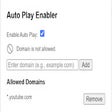
Auto Play Enabler is a browser extension designed for Google Chrome that allows users to enable autoplay functionality on web pages. This tool is…
Catalog & Content Access
Format & Codec Support
Playback Features
This tool excels in crafting tailored CD-ROM menus, making it a valuable asset for educators and developers alike, though it's specifically focused on CD-ROM content rather than broader multimedia applications.
Auto play the next Flyco slide without manual intervention.Auto play next slide for Flyco is a Chrome add-on developed by crazydeveloper24. This free tool…
Play Next is a free Chrome add-on developed by Dmitry Zimin. It falls under the category of Browsers and is classified as an Add-ons…