Free FTP Server Software for Secure File Sharing
Update: Sep 7, 2026 · 1 apps reviewed
Free FTP server software turns a PC or network machine into a file transfer hub for sharing folders, hosting downloads, or moving large files between trusted users. The strongest tools balance simple setup with control over users, permissions, transfer limits, and encrypted connections such as FTPS or SFTP. For home labs, small offices, and technical teams, the right choice depends on whether you need lightweight background service, remote administration, or detailed logging for audits. Good options keep transfers stable, secure, and easy to manage without adding unnecessary complexity.
Top programs about Ftp Server Gratis
- Editor's Choice3.8
13 reviews
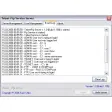
Multi-user Telnet and FTP access with admin control
- Runs Telnet and FTP services for network access
- Supports multiple users on the same server
- Includes an administration console for control
- Built for Windows as a trial server utility
Ideal for
- Windows admin labs
- Multi-user server setups
- Remote file access testing
Troubleshooting Utility
6 / 10Network reset, driver repair, ping/traceroute, and diagnostic reports.Connection Management
5 / 10WiFi management, hotspot, bandwidth monitoring, and Bluetooth tools.Diagnostic Accuracy
4 / 10Speed test precision, signal measurement, and connectivity issue identification.
The standout here is the combination of Telnet and FTP service support with an administration console, which makes it useful for basic network access setups on Windows. It is a trial version, so I would treat it as a practical utility for testing or lightweight server work rather than a full production platform.
Ronnel Angelo Arsolon
Related topics about Ftp Server Gratis
Frequently asked questions (FAQs) about this topic
Is free FTP server software safe to use?
It can be safe if it supports encrypted transfers and strong user authentication. Avoid exposing plain FTP to the internet unless you are on a trusted internal network. Also check whether the tool includes access controls, logs, and regular updates.
What is the difference between FTP, FTPS, and SFTP?
FTP is the basic file transfer protocol and does not encrypt data by default. FTPS adds TLS encryption on top of FTP, while SFTP uses the SSH protocol for secure transfers. If security matters, choose a server that supports at least one encrypted option.
Can I use an FTP server to share files over the internet?
Yes, but you need to configure your router, firewall, and user permissions carefully. For public access, encrypted protocols and strong passwords are essential. Many users prefer SFTP or FTPS instead of plain FTP for remote sharing.
Do FTP servers work on Windows and Linux?
Many free FTP server tools are available for Windows, and some also run on Linux or support cross-platform deployment. The best choice depends on your operating system, service requirements, and whether you need a graphical interface or command-line control.