4
Xenia Manager is a free utility tool designed to enhance the functionality of the Xenia Emulator on Windows. It provides users with an intuitive…
Update: Sep 7, 2026 · 121 apps reviewed
Game emulators recreate the hardware and software environment of consoles, handhelds and arcade systems so you can run games on a different device. The best options balance compatibility, accurate timing, controller support and smooth performance, while also making it easy to manage save states, shaders and custom resolutions. Some are built for retro systems and preservation, while others focus on modern console libraries or multi-system front ends. Choosing the right emulator depends on the platform you want to run, the power of your PC or mobile device, and how much authenticity you want versus convenience.
Xenia Manager is a free utility tool designed to enhance the functionality of the Xenia Emulator on Windows. It provides users with an intuitive…
Get our latest tech news first, wherever you read.
Eden Emulator runs Nintendo Switch titles on Android with a focus on mobile performance and usability, offering Vulkan rendering, per-game profiles, and a built-in…
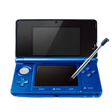
Gemu: 3DS Emulator, from PT. GAYA HIDUP BERSAMA, brings Nintendo 3DS emulation to Android devices to recreate handheld play on phones and tablets. It…
Integration & Ecosystem
Compatibility Breadth
Configuration & Control
The strongest selling point here is the ad-free Android gaming setup, plus tilt-to-stick controls and quick save/load for smoother sessions. It does require your own ROM files, so it suits players who already have a library and want a clean, lightweight emulator experience.
1 reviews
Compatibility Breadth
Integration & Ecosystem
Configuration & Control
The add-on focuses on visual enhancement rather than emulator control, and it does that well for Android retro gaming. I like the broad shader selection and higan XML 1.0 compatibility, but it only matters if your emulator already supports shader add-ons.
Compatibility Breadth
Integration & Ecosystem
Configuration & Control
The strongest part of this emulator is its straightforward ROM and ISO scanning flow, which gets classic games onto an Android phone without extra setup. I like it for casual retro play, but it stays focused on basic access rather than deeper emulator controls or ecosystem features.
Compatibility Breadth
Configuration & Control
Integration & Ecosystem
The standout here is how faithfully it handles pre-Saturn Sega hardware, including 32X and Sega CD support, plus built-in Netplay and capture tools. I still see the trade-off: development stopped years ago, and some Windows installs need compatibility tweaks for fullscreen stability.