Editor's choice
Free Download for Android
Other platforms
4.4
82 reviews
Fake GPS Location is a free utility app by developer Lexa and is a GPS location spoofer for mobile devices. With it, users can set random or predefined coordinates anywhere…
Update: Sep 7, 2026 · 4000 apps reviewed
GPS navigation apps turn your phone or desktop into a route guide that can handle driving, walking, cycling and public transit. The strongest options combine clear turn-by-turn directions, live traffic data, offline maps and fast recalculation when you miss a turn. Some focus on everyday commuting, while others are better for road trips, hiking or finding the quickest path through unfamiliar cities. When choosing one, look for map accuracy, battery efficiency, offline support and whether the interface stays readable at a glance.
82 reviews
Fake GPS Location is a free utility app by developer Lexa and is a GPS location spoofer for mobile devices. With it, users can set random or predefined coordinates anywhere…
Get our latest tech news first, wherever you read.
70 reviews
Hero RideGuide is a free travel application from developer Hero MotorCorp Ltd. It is a navigator tool specifically made to help riders of the company's various motorcycles and scooters. With it,…
62 reviews
Rapido Captain Bike Taxi Auto is a free-to-use travel and navigation app that allows users to work as drivers for India's largest ride-sharing service,…
35206 reviews
Google Earth is an interactive geographic tool that allows users to explore and navigate the entire planet through a 3D image of the Earth. Developed…
13 reviews
Travel Planning
Map Detail & Data Freshness
Offline & Practical Utility
The strongest part of inDrive is the control it gives you over fare and driver selection, plus live trip sharing for added peace of mind. The trade-off is that its map can be inaccurate, so arrival estimates are not always dependable.
1340 reviews
Map Detail & Data Freshness
Offline & Practical Utility
Travel Planning
Google Maps goes beyond turn-by-turn directions with live traffic, offline maps, and AI-powered local search that helps travelers build plans on the fly. The trade-off is battery drain during active GPS use, but the depth of route data and place discovery makes it hard to beat in Travel & Maps.
410 reviews
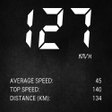
GPS SpeedoMeter is a free GPS app designed to provide accurate speed monitoring using GPS technology. It targets users needing reliable speed information during…
14 reviews
Viper X-drive is a free Android application developed by Sergey Fetisov that allows users to connect to their dashcam via Wi-Fi. This travel and…