Editor's choice
Free Download for Android
Other platforms
4.4
82 reviews
Fake GPS Location is a free utility app by developer Lexa and is a GPS location spoofer for mobile devices. With it, users can set random or predefined coordinates anywhere…
Update: Sep 7, 2026 · 1349 apps reviewed
GPS tracker apps turn a phone, tablet or dedicated device into a live location monitor for people, vehicles and valuables. The strongest options combine accurate positioning, low battery drain, reliable alerts and clear history logs, so you can see where something is now and where it has been. Some tools focus on family safety, while others are better for fleet management, asset recovery or personal security. The best choice depends on how often updates are needed, whether you need geofencing, and how much control you want over sharing and privacy settings.
82 reviews
Fake GPS Location is a free utility app by developer Lexa and is a GPS location spoofer for mobile devices. With it, users can set random or predefined coordinates anywhere…
Choose Softonic on Google and you'll see more of our articles in Top Stories, AI Overviews and AI Mode.
410 reviews
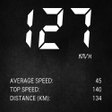
GPS SpeedoMeter is a free GPS app designed to provide accurate speed monitoring using GPS technology. It targets users needing reliable speed information during…
16 reviews
iMyFone AnyTo, developed by iMyFone Technology Co., Ltd., is a desktop-based tool that enables users to modify the GPS location of their Android or…
2 reviews
Bajaj Ride Connect is a free travel and navigation app that makes daily rides more convenient for Bajaj bike users. It comes with plenty…
5 reviews
Guardians from Truecaller is a safety app that helps you stay safe and explore the world on your own.It's a useful tool for women,…
6 reviews
Minahil Sim Tracker - Sim Data is a mobile application designed for Android users, offering an efficient way to access SIM owner details and…
3 reviews
Jareeb is a handy land-measuring app for Android devices that makes measuring fields a hassle-free experience. This tool is especially useful for farmers, who…
The Phone Tracker and GPS Location app by Gentii Studio is a free Android application that provides a reliable and secure location tracking experience…