Guitar Amp Software for Realistic Tone Shaping

Update: Sep 7, 2026 · 50 apps reviewed

Guitar amp software recreates the sound and feel of physical amplifiers, cabinets and effects inside a DAW or standalone practice setup. The strongest options go beyond simple distortion, offering amp models, cabinet simulation, mic placement, pedals and noise control that respond naturally to picking dynamics. Choosing well depends on whether you want silent practice with headphones, direct recording with low latency, or a flexible tone studio for composing and mixing. The best tools sound convincing, load quickly and give you enough control to build anything from clean jazz tones to heavy high-gain stacks.

Martin Francis Hernandez

Martin Francis Hernandez

Games & Software Reviewer

Passionate gamer and content writer, Martin specializes in video game reviews and software coverage across commercial, business, and multimedia applications. He helps readers navigate the digital landscape with confidence.

Top programs about Guitar Amp

  • Editor's choice
    3.1

    115 reviews

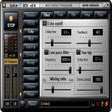
    Low-latency guitar effects with preset sound chains

    • 13 guitar effects, including tremolo and wah-wah
    • Tube amp simulator for direct PC guitar tone shaping
    • Preset favorite effect combinations for fast recall
    • Built-in metronome, tuner, and backing tracks

    Ideal for

    • Home players using a PC as an amp
    • Backing-track practice without extra gear
    • Guitarists needing a tuner and metronome
    • Recording Quality

      8 / 10
    • Editing Toolset

      5 / 10
    • Export & Workflow

      3 / 10
    The low latency and preset effect chains make this a practical way to experiment with guitar tones from a PC, especially if you want amp-style processing without extra hardware. I’d pass on it if you need recording or a cleaner workspace, since the interface is crowded and the graphics add more clutter than value.
    Martin Francis Hernandez
  • Keep up with Softonic

    Get our latest tech news first, wherever you read.

  • 4.3

    Guitar pedal effects with live latency tuning

    • Tuner, noise gate, compressor, and EQ for guitar shaping
    • Drive, fuzz, chorus, flanger, phaser, and delay effects
    • Adjust buffer size to trade latency for cleaner playback
    • Requires a 4-pole 3.5mm headset cable connection

    Ideal for

    • Guitarists dialing in pedalboard tones
    • Phone-based practice and jam sessions
    • CTIA headset cable setups
    • Editing Toolset

      5 / 10
    • Recording Quality

      4 / 10
    • Export & Workflow

      4 / 10
    Gig Board SE focuses on real-time guitar processing rather than full audio production, so it suits players who want to experiment with pedal-style effects on an Android phone. The trade-off is setup friction: you need the right 4-pole headset cable, and latency may require relaunching the app or adjusting buffer size.
    Martin Francis Hernandez
  • 5

    1 reviews

    Real-time amp and pedalboard control for guitar and bass

    • Connects guitar and bass instruments for live playing
    • Stack amps, cabinets, and effects as needed
    • Adjust instrument volume and tone in the app
    • Switch between rock, pop, jazz, blues, metal, folk, and country

    Ideal for

    • Home players dialing in tone
    • Bassists testing different setups
    • Genre-based jam sessions
    • Editing Toolset

      5 / 10
    • Recording Quality

      5 / 10
    • Export & Workflow

      4 / 10
    The app’s strength is its real-time guitar and bass amp-and-pedalboard setup, with enough effects, cabinets, and genre presets to experiment quickly. It is best suited to players who want to tweak tone on the fly, though it is not a full audio production suite.
    Martin Francis Hernandez
  • 4.2

    Amp-and-effects shaping for polished guitar tones

    • Customizable amp models for building signature tones
    • Real-time effects processing with low-latency monitoring
    • High-quality presets for quick tone starting points
    • Saves personal setups and integrates with music software

    Ideal for

    • Mac guitarists tracking at home
    • Preset-based tone shaping sessions
    • Music software integration workflows
    • Editing Toolset

      8 / 10
    • Export & Workflow

      8 / 10
    • Recording Quality

      8 / 10
    The strength here is its deep guitar-focused processing: you get customizable amps, real-time effects, and preset-based starting points that speed up tone building. I’d recommend it to Mac guitarists who want flexible sound design and smooth integration with other music production tools, not a full multitrack editor.
    Martin Francis Hernandez
  • 5

    1 reviews

    Patch management and custom edits for ZOOM G2 FOUR

    • Download new effects for the G2 FOUR and G2X FOUR
    • Manage which effects are installed on the device
    • Edit patch memories and build new patches from scratch
    • Back up patch lists and keep custom setups safe

    Ideal for

    • Guitarists using ZOOM G2 FOUR
    • Custom patch librarians
    • Backup and restore workflows
    • Editing Toolset

      5 / 10
    • Export & Workflow

      4 / 10
    • Recording Quality

      3 / 10
    The tool gives G2 FOUR and G2X FOUR owners real control over patches, letting them add effects, reshuffle the installed set, and save backups from one place. It is focused and useful, but it stays tied to ZOOM hardware rather than offering broader audio editing or production features.
    Martin Francis Hernandez
  • 4.4

    Capture amp and pedal tones as reusable digital profiles

    • Amp Intelligence profiles tube amps, cabinets, and effects
    • Guided capture helps with routing and mic placement
    • ToneCloud lets you upload, download, and share profiles
    • Direct sync with Spark 2 keeps tones portable across gear

    Ideal for

    • Vintage amp owners
    • Spark 2 hardware sync
    • Shared tone profile libraries
    • Export & Workflow

      7 / 10
    • Recording Quality

      6 / 10
    • Editing Toolset

      6 / 10
    Amp Intelligence gives guitarists and bassists a practical way to turn physical rigs into portable tone profiles, and the guided capture process makes profiling far less guessy than a manual setup. It pays off most when you already own the amps, pedals, and a compatible interface, since the best results depend on that hardware workflow.
    Martin Francis Hernandez
  • 4.7

    Over 300 plugins for guitar tones and practice

    • Build effect chains with 300+ audio plugins
    • Load LV2 plugins for distortion, delay, reverb, and more
    • Tune with a chromatic auto tuner for precise pitch
    • Record MP3 takes and share them from the app

    Ideal for

    • Home guitar practice sessions
    • Android recording with audio interfaces
    • Backing tracks and drum patterns
    • Editing Toolset

      7 / 10
    • Export & Workflow

      7 / 10
    • Recording Quality

      6 / 10
    The open-source plugin support and MP3 recording make this a capable Android tool for guitarists who want to shape tones and capture ideas in one place. I like the backing track player, drum machine, and patch workflow, but it stays focused on guitar-centric production rather than full multitrack editing.
    Martin Francis Hernandez
  • 4.8

    Realistic guitar tones with two play modes

    • 20 frets for expressive riff and solo play
    • Eight chords for heavy rhythm backing
    • Chords or solo mode for different practice styles
    • Touch-triggered sound with optional vibration feedback

    Ideal for

    • Android guitar practice
    • Kids exploring guitar sounds
    • Studio-recorded metal tones
    • Editing Toolset

      3 / 10
    • Export & Workflow

      3 / 10
    • Recording Quality

      3 / 10
    The standout here is the studio-recorded sound, which gives this guitar simulator a more natural edge than many toy-like music apps. I’d rate it as a solid pick for casual practice and quick riff play on Android, though it stays focused on simulation rather than deeper audio production tools.
    Martin Francis Hernandez

Frequently asked questions (FAQs) about this topic

Can guitar amp software replace a real amp?

For recording, practice and tone experimentation, good amp software can absolutely replace a real amp. It is especially useful when you need silent monitoring, easy recall of presets or a wide range of tones without extra hardware. Live use is possible too, but it depends on your interface, monitoring setup and latency.

Do I need an audio interface for guitar amp software?

An audio interface is strongly recommended because it gives you better input quality, lower latency and proper instrument-level connections. Some setups can work through a computer's built-in input, but the noise and delay are usually much worse. For serious playing or recording, an interface makes a big difference.

What features matter most in amp sim software?

Look for convincing amp models, cabinet simulation, low latency and enough preset control to save your sounds. Noise gate tools, built-in effects and MIDI or plugin support are also useful. If you record often, stable performance and easy integration with your DAW matter as much as tone.

Is guitar amp software good for beginners?

Yes, because it lets beginners try many tones without buying multiple pedals or amplifiers. The easiest tools offer ready-made presets and simple controls, while more advanced ones provide deeper tweaking later. A clear interface and low CPU use are especially helpful when you are just starting out.
Signed in to Softonic as