Editor's choice
5
2 reviews
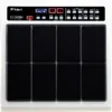
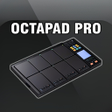
Octapad Pro is a revolutionary drum pad app that ignites musical creativity and immerses users in rhythm like never before. It transforms smartphones or…
Update: Sep 7, 2026 · 83 apps reviewed
Music pad apps turn taps, loops and samples into fast, hands-on beatmaking. They’re a strong fit for producers who want to sketch ideas quickly, performers who need launchable clips on stage, and mobile users looking for an intuitive way to trigger sounds without a full DAW. The best options balance low latency, responsive pad layouts, flexible sample loading and reliable recording or export tools. Some lean toward finger drumming and live looping, while others focus on arranging loops, one-shots and backing tracks. Choose based on how you create, how much control you need, and whether timing accuracy matters more than visual flair.
2 reviews
Octapad Pro is a revolutionary drum pad app that ignites musical creativity and immerses users in rhythm like never before. It transforms smartphones or…
Choose Softonic on Google and you'll see more of our articles in Top Stories, AI Overviews and AI Mode.
2 reviews
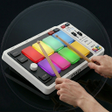
PadLab - Live Pads is a professional multimedia application designed specifically for musicians who perform live, particularly in worship settings. This Android app allows…
Listening Experience
Playback Quality & Format Support
Library Management
The eight-pad layout and low-latency response make this a solid mobile percussion player for sketching beats and testing ideas fast. I like the offline recording and YouTube sharing, but the lack of MIDI or external controller support keeps it closer to a portable practice tool than a full production setup.
5 reviews
Infinite Pads, developed by Happy Little Apps, is a free live performance tool designed to add a lush pad layer to your sound. It…
6 reviews
Octopad: Musical Instrument is a very helpful and easy to use application. You can edit its sound directly and modify the Octapad. This application…
1 reviews
PadPro - Octorapad is an app that lets you create custom sound effects for your pads. It works with almost all pads and can…
178 reviews
DrumPads is a tool that allows you to turn your computer into a digital drum set. Using it, you will be able to convert…
14 reviews
StaffPad represents a shift in how we approach digital music notation. By focusing on handwriting, it bridges the gap between traditional pen-on-paper scoring and…