Editor's choice
4.8
11 reviews
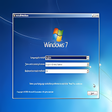
How to install windows 7 is a free education and reference tool that you can use to learn how to install the Windows 7…
Update: Sep 7, 2026 · 6 apps reviewed
Running Windows software on another operating system is all about compatibility, performance and convenience. Some tools create a full virtual machine, while others translate Windows calls or stream the app through a lightweight layer, so the right choice depends on how demanding the software is. The best options balance smooth graphics, easy setup, file sharing and stable updates without making your whole system feel sluggish. If you need to open one legacy program or keep a full Windows workspace available, the ideal solution is the one that matches your hardware and the apps you actually use.
11 reviews
How to install windows 7 is a free education and reference tool that you can use to learn how to install the Windows 7…
Choose Softonic on Google and you'll see more of our articles in Top Stories, AI Overviews and AI Mode.
396 reviews
Configuration & Control
Integration & Ecosystem
Compatibility Breadth
The standout here is speed: it runs faster than many competing virtual machines and handles common peripherals well. I’d still treat it as a narrow tool, though, because OS support is limited and Microsoft provides little in the way of built-in help or tech support.
157 reviews
Windows 95 is the working name for an Electron version of Windows 95, Microsoft's hit operating system that ultimately helped put Windows computers on…
Run-Command is a free utility tool for PC devices by developer SoftwareOK. This program serves as an alternative Windows utility, specifically, the operating system's built-in run-dialog. This specific function of…
Runex is an Android application designed to facilitate online shopping from Turkey to Azerbaijan. The app is developed by Runex and is available for…
This is a complete step-by-step guide for installing a Windows operating system on your computer. You will learn everything you need to know about…