Windows (10000 programs)
Pros: Unique and challenging physics. Philosophical narration. Memorable gameplay experience. Minimalist, surreal visuals with meme appeal.
Cons: Frustrating difficulty. Single-player only.
Pros: Sees the return of Task Force 141. Provides four temporary superpower options. The Boys crossover.
Cons: Doesn’t allow players to swim under buildings.
Pros: Easy to use. Access to millions of books. Cross-device synchronization. Reading features like dictionary and bookmarks. Supports multiple languages.
Cons: Performance issues on older devices.
Pros: Functional. Great for productivity.
Cons: Poor UI/UX design.
Pros: Lightweight program. Good choice of colors. Easy to use. Export to different file formats.
Cons: No direct-print option. Limited photo-editing features.
Pros: Built into Windows Security with no separate antivirus installation. Real-time protection with cloud-delivered threat intelligence. Controlled Folder Access helps protect against ransomware behavior. Microsoft Defender Offline scans harder-to-remove infections.
Cons: Some controls are spread across Windows Security menus. Advanced cross-device and identity features can require Microsoft 365.
Pros: Offers cross-platform support. Creates automatic backups. Syncs files on the go.
Cons: Limited storage.
Pros: There are no data limitations when using SHARE.it.. Information can be sent and received between disparate operating systems..
Cons: There is very little contact information provided on the primary website.. The performance of older operating systems may be adversely affected after installation..
Pros: Vibrant visuals and soundtrack. Unique concept. Nostalgic appeal.
Cons: Repetitive mechanics.
Pros: Real-time CPU core parking tweaking. Shows power profile change notifications. Free and portable. Restore Default feature.
Cons: Won’t work if your system doesn’t support CPU core parking.
Pros: Packed with useful features. Easy to install.
Cons: Only for Adobe Photoshop users. A bit limited in its scope.
Pros: Free to download and use. Easy to install.
Cons: Only available to Adobe Photoshop owners. A limited number of new features.
Pros: Easily modify text, images, and objects. Intuitive design and simple user-interface.
Cons: May slow down considerably with larger or complex documents. Does not save as standard PDF files.
Pros: Robust and extensive feature set. Preset Algorithms available. Create custom power profiles. Automation functions.
Cons: Steep learning curve.
Pros: Easy remote connection setup. Screen sharing with control option. Useful annotation and chat tools. Supports multiple monitors for better visibility.
Cons: Occasional connection drops. Slow or failed initial connection. Requires a stable internet connection for smooth use. Limited to Windows devices only.
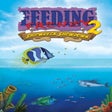
Pros: Sixty levels of beautiful underwater scenery. Cute, cartoon-style graphics. Simple controls.
Cons: Repetitive gameplay and limited depth.
Pros: Managed serverless hosting removes server maintenance and provisioning tasks. Automatic scaling with Standard Environment that can scale down to zero. Supports Python, Java, Node.js, Go, PHP, Ruby, and C#. Integrates with Cloud Storage, Cloud SQL, and Pub/Sub services.
Cons: Flexible Environment requires managing Docker containers and VM-level deployment complexity. Standard Environment sandbox restricts certain system-level libraries and behaviours. Teams needing deep infrastructure control face additional operational steps.