Windows (10000 programs)
Pros: Great for quick edits. Easy to use. No need to draw or color. Perfect for non-artists.
Cons: Low-res end results. Very limited editing. Can’t fully control the editing process. Need to wait for 24 hours if you use your own image.
Pros: Free to play game with optional donations. Very addictive 'one more try' gameplay.
Cons: Very focused game with nothing else to offer. May be unplayable for those with colour blindness.
Pros: Professionally produced journalism. Plenty of international content.
Cons: Premium content comes at a cost. Covers similar ground to other UK news sites.
Pros: Features tabs for multiple projects. Good choice for collaboratives projects.
Cons: Doesn't support other languages.
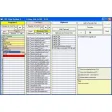
Pros: Syncs with Outlook. Helps you fill in your tax return with printouts. Helps you keep abreast of rents and important deadlines.
Cons: Tailored specifically for the UK market. Takes some time to master.
Pros: Users can opt for a free demonstration.. Supports many different file formats..
Cons: A paid version is required to enjoy full access.. Cannot convert to GIF or BMP formats..
Pros: Free to use with no limitations. Simple, one-screen interface. Supports basic enhancements like sharpness, contrast, and RGB adjustment.
Cons: Limited format support (no MKV or MOV). No batch processing, presets, or export profiles. Last updated several years ago; lacks active development.
Pros: Dozens of jets to choose from. Many ways to play.
Cons: Not a free game, this is a paid game to play. No multiplayer support.
Pros: Find higher resolution images.
Cons: Requires internet connection. Similar to Google’s reverse image search.