Editor's choice

4.3
262 reviews
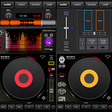
Cross DJ - Music Mixer App provides a two-deck mixing environment with waveform-based track visualization and real-time audio control. It includes a two-deck mixing…
Update: Sep 7, 2026 · 68 apps reviewed
Free DJ mixing software gives you the core tools needed to blend tracks, cue transitions, and build a set without paying for a full pro suite. The best options balance low-latency playback, reliable beat matching, and clear waveform views with enough effects and looping to keep mixes creative. Some are built for bedroom practice, while others are strong enough for livestreams or small gigs when paired with the right controller. When choosing, look at library management, hardware support, recording options, and how much the free version limits export or performance features.
262 reviews
Cross DJ - Music Mixer App provides a two-deck mixing environment with waveform-based track visualization and real-time audio control. It includes a two-deck mixing…
Get our latest tech news first, wherever you read.
91 reviews
Made by professional DJs, this free app can be used by both hobby DJs and professionals alike. A fully equipped mixing table in your…
690 reviews
Editing Toolset
Export & Workflow
Recording Quality
CrossDJ Free gives beginners and intermediate DJs a solid on-the-go mixing setup, with dual decks, beat-sync, looping, and responsive waveform control. The free version is held back by ads, some format recognition gaps, and poor recording audio quality, but Mixvibes keeps updating it and that matters for stability.
169 reviews
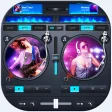
DJ Mixer 2019 - 3D DJ App is a free music companion that can be easily accessed right at your hand and even on…
106 reviews
Fledgling DJs should start small — sound mixing equipment and software are not cheap, so free alternatives like Dj Name Mixer : Mix My…
29 reviews
Editing Toolset
Export & Workflow
Recording Quality
The strongest part here is the straightforward mixing toolkit: crossfading, looping, key lock, tempo sync, and BPM detection cover the basics without clutter. I’d recommend it to casual DJs and hobbyists who want clean transitions and SoundCloud access, but advanced effects and MIDI controller support sit behind in-app purchases.
102 reviews
Editing Toolset
Export & Workflow
Recording Quality
The tool stands out for tying a two-channel DJ layout and Trigger Pad FX directly to Pioneer hardware, so the workflow feels tightly matched to supported gear. Its real limitation is compatibility: it only works with a small device list, so it fits existing DDJ-WeGO3 and DDJ-WeGO4 users far better than anyone building a broader mobile production setup.