Torque Pro OBD Car Diagnostics and Live Data Tools
Update: Sep 7, 2026 · 27 apps reviewed
Torque Pro turns an Android phone into a live OBD-II dashboard for reading engine data, clearing fault codes and tracking vehicle performance. The strongest options pair fast Bluetooth pairing with accurate sensor readouts, customizable gauges and support for manufacturer-specific diagnostics. Drivers usually look for features like trip logging, emissions readiness checks, GPS overlays and the ability to export data for later analysis. A good setup depends on your car, your adapter and how much detail you want beyond a basic check-engine light scan.
Top programs about Torque Pro
- Editor's ChoiceDownload for Android
Other platforms
4117 reviews
Live engine data and custom dashboards on the road
- Reads and clears OBD2 trouble codes from the ECU
- Shows live speed, RPM, fuel use, and sensor data
- Builds custom dashboards with interactive widgets
- Logs driving data for performance and efficiency checks
Ideal for
- Drivers tracking engine health
- Bluetooth OBD2 adapter setups
- Road trips with live vehicle data
Travel Planning
5 / 10Itinerary building, points of interest, booking integration, and travel guides.Map Detail & Data Freshness
4 / 10Map detail, real-time traffic, and how up-to-date routes and POIs are.Offline & Practical Utility
4 / 10Offline maps, GPS without data, and performance with poor connectivity.
The real value here is live diagnostics: it turns a phone into a capable roadside scanner with custom dashboards and clear trouble-code handling. I’d recommend it to drivers who want deeper insight than a basic map app can provide, but the Bluetooth pairing quirks, dated interface, and steeper learning curve make setup less smooth than the payoff.
Hermes Andrea Gayle Sousa - 4.4
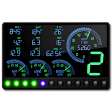
OBD-driven driving telemetry for Torque Pro dashboards
- Reads speed, fuel level, brake, and tire pressure data
- Shows RPM widgets, dials, LED bars, and HUD mirror mode
- Tracks acceleration, deceleration, braking, and g-force
- Estimates engine power, torque, and gear ratios
Ideal for
- Torque Pro dashboard customizers
- OBD2 adapter-based car monitoring
- Acceleration and braking analysis
Map Detail & Data Freshness
4 / 10Map detail, real-time traffic, and how up-to-date routes and POIs are.Offline & Practical Utility
4 / 10Offline maps, GPS without data, and performance with poor connectivity.Travel Planning
4 / 10Itinerary building, points of interest, booking integration, and travel guides.
The tool adds a serious telemetry layer to Torque Pro, turning an OBD2 setup into a live driving dashboard with gauges, HUD mode, and performance estimates. It is best for drivers who want detailed vehicle data, not route planning or map navigation.
Hermes Andrea Gayle Sousa - 4.7
Nissan-only engine data inside Torque Pro
- Adds 10+ Nissan-specific live sensor readings
- Monitors VVT oil temperature and MAF data
- Reads A/F ratio adjustment and transmission data
- Works only on CANBUS-equipped Nissan models
Ideal for
- Nissan owners with CANBUS vehicles
- Torque Pro plugin setup
- Advanced engine monitoring
Offline & Practical Utility
4 / 10Offline maps, GPS without data, and performance with poor connectivity.Map Detail & Data Freshness
3 / 10Map detail, real-time traffic, and how up-to-date routes and POIs are.Travel Planning
3 / 10Itinerary building, points of interest, booking integration, and travel guides.
This plugin extends Torque Pro with Nissan-specific live diagnostics that go beyond generic OBD readings, including engine and automatic transmission sensors. It is useful if you already run Torque Pro on a supported CANBUS Nissan, but it is not a standalone map or travel tool and won’t help outside that narrow vehicle compatibility.
Hermes Andrea Gayle Sousa - 4.7
Live Mitsubishi sensor data for deeper route checks
- Reads 10+ Mitsubishi-specific PIDs in real time
- Tracks AT turbine, output speed, and oil temperature
- Shows CVT gear ratio as speed and throttle change
- Monitors boost, knock retard, and clutch temperatures
Ideal for
- Mitsubishi owners with CANBUS diagnostics
- CVT transmission troubleshooting
- Turbo and automatic engine monitoring
Travel Planning
5 / 10Itinerary building, points of interest, booking integration, and travel guides.Map Detail & Data Freshness
4 / 10Map detail, real-time traffic, and how up-to-date routes and POIs are.Offline & Practical Utility
4 / 10Offline maps, GPS without data, and performance with poor connectivity.
The plugin adds Mitsubishi-specific live sensor data that Torque Pro does not expose on its own, which makes it valuable for owners checking CVT behavior, transmission temps, or turbo-related readings. It only makes sense if your car supports DiagOnCan CANBUS and the needed hardware is present, so coverage is narrower than a general travel app.
Hermes Andrea Gayle Sousa - 4.6
OBD fault-code checks before you hit the road
- Reads engine sensors from Torque-compatible OBD data
- Retrieves fault codes before a trip starts
- Logs vehicle data to your Android device
- Sends logged car data to Twitter
Ideal for
- Road trip drivers
- Torque Pro OBD2 integration
- Android vehicle data logging
Map Detail & Data Freshness
4 / 10Map detail, real-time traffic, and how up-to-date routes and POIs are.Offline & Practical Utility
4 / 10Offline maps, GPS without data, and performance with poor connectivity.Travel Planning
3 / 10Itinerary building, points of interest, booking integration, and travel guides.
TorqueScan gives you a practical way to inspect engine data and fault codes before setting off, which fits the Travel & Maps crowd that wants fewer surprises on the road. Its value is narrow but clear: it complements Torque Pro OBD2 well, though it stays focused on diagnostics rather than route planning or maps.
Hermes Andrea Gayle Sousa - 4.4
Live engine data at a glance for Torque Pro users
- Graphs multiple engine sensors at the same time
- Builds separate charts for one engine or the whole vehicle
- Adjusts sampling frequency and chart ranges per sensor
- Shares charts by email or social media
Ideal for
- DIY mechanics tuning a vehicle
- Diagnostic sessions with sensor logs
- Social sharing of engine charts
Travel Planning
5 / 10Itinerary building, points of interest, booking integration, and travel guides.Map Detail & Data Freshness
4 / 10Map detail, real-time traffic, and how up-to-date routes and POIs are.Offline & Practical Utility
4 / 10Offline maps, GPS without data, and performance with poor connectivity.
This tool turns Torque Pro data into live, multi-sensor charts, which makes it useful for diagnosing and tuning a vehicle instead of just reading raw numbers. It is focused on engine analysis rather than trip planning or maps, so it belongs on this page only if you want deeper vehicle telemetry during travel.
Hermes Andrea Gayle Sousa - 4.8
CSV-based performance logging for tuned street cars
- Import CSV and MSL OBD datalogs with RPM data
- Supports JB4, COBB, and other tuning log formats
- Calculates horsepower, torque, and shift points
- Save and compare multiple dyno runs on your device
Ideal for
- Tuning enthusiasts
- Drag strip setup checks
- Performance mod comparisons
Travel Planning
5 / 10Itinerary building, points of interest, booking integration, and travel guides.Map Detail & Data Freshness
4 / 10Map detail, real-time traffic, and how up-to-date routes and POIs are.Offline & Practical Utility
4 / 10Offline maps, GPS without data, and performance with poor connectivity.
The app turns raw OBD logs into horsepower and torque estimates, with enough format support to fit common tuning workflows. It’s most useful for drivers who already collect data and want to compare runs or fine-tune shift points, but the setup depends on entering accurate vehicle weight and drag details.
Hermes Andrea Gayle Sousa - 1
1 reviews
OBD2 dashboards layered over your route map
- Overlay OBD2 sensor data on top of map screens
- Show engine temperature, MPG, and live car stats
- Save different dashboards for different apps
- Remove gauges quickly with a press-and-hold gesture
Ideal for
- Road-trippers tracking engine health
- Google Maps overlay setups
- Torque Pro companion plugin
Travel Planning
5 / 10Itinerary building, points of interest, booking integration, and travel guides.Map Detail & Data Freshness
4 / 10Map detail, real-time traffic, and how up-to-date routes and POIs are.Offline & Practical Utility
4 / 10Offline maps, GPS without data, and performance with poor connectivity.
The plugin’s main strength is putting live OBD2 readings right over your navigation view, so you can keep an eye on the car without leaving the map. It depends on Torque Pro and is best for drivers who want route guidance and vehicle data on the same screen.
Hermes Andrea Gayle Sousa