Editor's choice

Download for Windows
Other platforms
2.3
3 reviews
Hostinger is a web hosting and site management platform built to help users publish and maintain websites quickly. The service brings together hosting infrastructure,…
Update: Sep 7, 2026 · 79 apps reviewed
Website design software helps you turn ideas into polished pages before a single line of code goes live. The strongest tools balance visual layout control, responsive previews, template flexibility, and export options that fit real publishing workflows. Some are aimed at beginners who want drag-and-drop simplicity, while others give designers tighter control over grids, typography, and reusable components. The best choice depends on whether you are building a landing page, a portfolio, or a full business site, and how much freedom you need over the final look and structure.
3 reviews
Hostinger is a web hosting and site management platform built to help users publish and maintain websites quickly. The service brings together hosting infrastructure,…
Choose Softonic on Google and you'll see more of our articles in Top Stories, AI Overviews and AI Mode.
121 reviews
Designing a modern website should be associated with a hands-on sense of efficiency. Google Web Designer provides programmers with a host of professional…
2 reviews
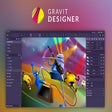
Gravit Designer, developed by Corel, is a vector graphics application created for designers, artists, and creators focused on producing interactive graphics for websites and…
5 reviews
Design Capabilities
Export & Collaboration
Template & Asset Ecosystem
Lucidpress stands out for real-time collaboration and flexible layout control, which makes it useful for teams producing branded reports and other polished design pieces. The trade-off is browser compatibility limits and some document import friction, so it fits best when your workflow stays inside the web editor.
Design Capabilities
Export & Collaboration
Template & Asset Ecosystem
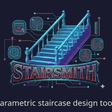
The live preview and dimension controls make this a practical planning tool for staircase work, especially when you need to test measurements before building. It stays focused on one job, so it won’t replace a full graphic design suite, but it does remove a lot of friction from staircase visualization.
2 reviews
Balsamiq is special wireframing software that has been created especially for companies that are on a budget. Both developers and designers can use the…
46 reviews
WebSite X5 Professional 12 lets you create web pages in just a few steps. Without the need of any previous programming or web design…