Editor's choice

4.9
Medas Alarmas is a Chrome extension designed to enhance the control of events and incidents in the MEDAS system. With its intuitive graphical interface,…
Update: Sep 7, 2026 · 8 apps reviewed
Alarm apps do more than wake you up — they help anchor routines, protect deadlines and keep short tasks from slipping through the cracks. Good options balance dependable alerts with useful extras such as repeating schedules, snooze controls, custom sounds, vibration settings and calendar or task integration. The best picks are easy to set up, loud enough when needed and flexible enough for workdays, workouts, medication reminders or time-sensitive planning. When comparing them, look for notification reliability, cross-device sync, battery impact and whether the interface makes it fast to create or edit alarms on the fly.
Medas Alarmas is a Chrome extension designed to enhance the control of events and incidents in the MEDAS system. With its intuitive graphical interface,…
Choose Softonic on Google and you'll see more of our articles in Top Stories, AI Overviews and AI Mode.
SchAlarm is a school alarm application created by gl91306. Designed specifically for the STEAM Showcase, this Chrome add-on aims to provide a convenient and…
BOS Alarm is a utility app designed to provide a secure, fast, and reliable additional alert system for emergency responders and resources. Developed by…
Morón Alerta is a state application developed by Custom Devel System for the municipality of Morón in Buenos Aires, Argentina. This free app is…
AutoAlarm is a plugin for Tasker that helps you know when the next system alarm is going to be and act on it. With…
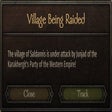
This is a new Sound The Alarm mod for Bannerlord Alert System. This mod adds a new banner to your game window whenever a fief under…
Mission Alarm: Cant Turn Off is a mission alarm clock for people who dismiss alarms too easily. Instead of offering an instant stop button,…