

Editor's choice
Time Clock Software for Windows Teams and Payroll
Update: Sep 7, 2026 · 77 apps reviewed
Time clock software for Windows helps businesses record employee hours accurately, reduce manual timesheet errors, and keep payroll moving on schedule. The strongest tools do more than start and stop a timer: they handle break tracking, shift logs, overtime rules, and exportable attendance reports. Some are built for a single PC at reception, while others support shared terminals, remote check-ins, and tighter controls for managers. When choosing one, look for reliability, clear reporting, and features that match your workflow, whether you need simple attendance tracking or a more structured timekeeping system. Explore top picks for Windows.
Top programs about Time Clock For Windows
Keep up with Softonic
Get our latest tech news first, wherever you read.
- 3.3
66 reviews
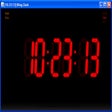
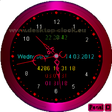
Countdown focus with a bold, readable clock face
- Run countdown timers for deadline-driven sessions
- Use the stopwatch to track elapsed time
- Read large red digital numbers at a glance
- Customize the clock face and visual progress bar
Ideal for
- Students timing study blocks
- Presentations with visible time limits
- Desk setups needing a clear clock display
Task & Time Management
7 / 10Quality of to-dos, reminders, deadlines, and calendar integration.Capture & Organization
3 / 10How fast you can capture ideas and how flexibly you can organize them.Sync & Integration
3 / 10Cross-device sync and how well the tool plays with calendars, email, and widgets.
The countdown tool and stopwatch are the main draws here, backed by a large, readable display and a useful shrinking progress bar. I’d only hesitate if you need a true time-of-day clock, keyboard shortcuts, or a more polished interface.
Chennon Kyle CK Santaren - 3.6
57 reviews
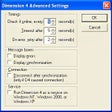
Windows time synchronization without the clutter
- Synchronizes your PC clock with internet time servers
- Keeps system time accurate for deadlines and reminders
- Runs as a lightweight Windows-only utility
- Free to use with a narrow, time-focused workflow
Ideal for
- Windows desktop admins
- Deadline-sensitive office setups
- Free clock sync utility
Sync & Integration
4 / 10Cross-device sync and how well the tool plays with calendars, email, and widgets.Task & Time Management
4 / 10Quality of to-dos, reminders, deadlines, and calendar integration.Capture & Organization
3 / 10How fast you can capture ideas and how flexibly you can organize them.
Dimension 4 does one job well: it keeps a Windows PC clock synchronized, which matters when calendar alerts and time-based workflows need to stay accurate. It is narrowly focused and free, but it is not a full notes or planning suite, so it only makes sense if clock precision is the problem you need to solve.
Chennon Kyle CK Santaren - 4.3
15 reviews
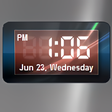
A lightweight clock with customizable styling
- Displays time in a simple, always-available window
- Customizable clock appearance for different desktops
- Lightweight build that avoids heavy system demands
- Straightforward controls for fast time tracking
Ideal for
- Windows desktop timekeeping
- Custom clock styling
- Low-resource utility for older PCs
Task & Time Management
4 / 10Quality of to-dos, reminders, deadlines, and calendar integration.Capture & Organization
3 / 10How fast you can capture ideas and how flexibly you can organize them.Sync & Integration
3 / 10Cross-device sync and how well the tool plays with calendars, email, and widgets.
ActiveX Clock keeps the focus on basic timekeeping, with a clean interface and enough appearance options to fit a personal or work desktop. It makes sense if you want a lightweight Windows clock without extra planning features or sync tools.
Chennon Kyle CK Santaren

Frequently asked questions (FAQs) about this topic
Can Windows time clock software track employee breaks?
Yes, many time clock tools include break tracking alongside clock-in and clock-out records. Some also let managers set required break lengths or flag missed breaks for review. That helps keep attendance data closer to payroll rules and company policy.
Do time clock programs for Windows support overtime tracking?
Most business-focused options can calculate overtime automatically based on daily or weekly thresholds. The exact rules vary, so it is worth checking whether the software supports your local labor requirements. Good tools also show overtime clearly in reports before payroll is processed.
Can I use a Windows time clock on a shared computer?
Yes, many are designed for kiosk-style use on a shared PC at the front desk or in the break room. Look for PIN, badge, or user login support to prevent clocking errors. Admin controls are important if multiple employees use the same machine.
What should I look for in employee time tracking software?
Focus on accuracy, reporting, and ease of use. A strong time clock should make clock-ins fast, reduce manual edits, and export clean data for payroll or HR systems. If you manage shifts, also check for scheduling and approval features.